
Last updated: October 18, 2026
By Home Repair Genie
Quick Answer
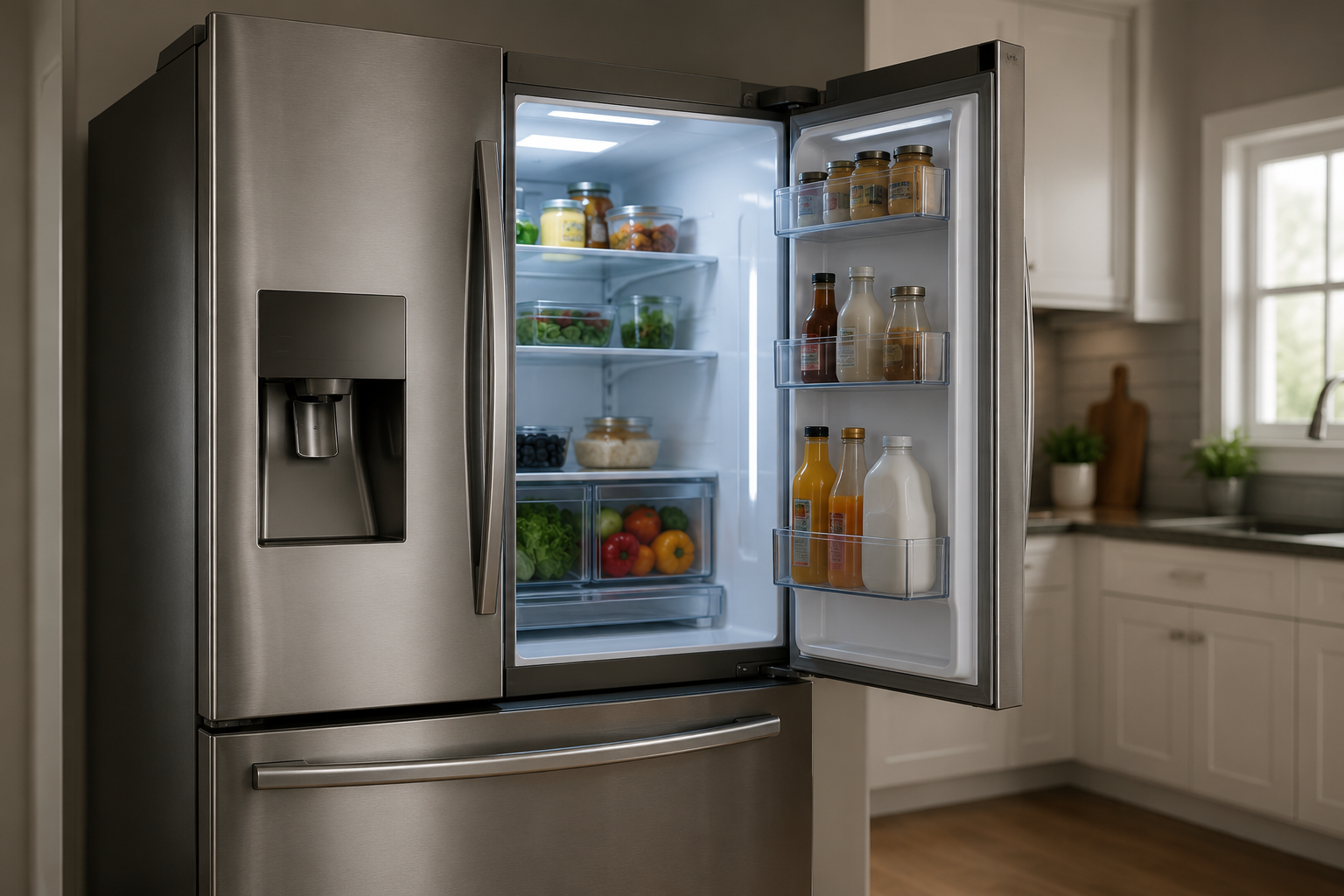
A Samsung refrigerator 22E error code usually means there is a problem with the refrigerator evaporator fan or airflow inside the fridge compartment. This often happens because of ice buildup, blocked vents, a faulty fan motor, or wiring issues. In many cases, unplugging the refrigerator and removing frost buildup can solve the problem.
What Does the Samsung Refrigerator 22E Error Mean?
The Samsung refrigerator 22E error code points to an issue with the evaporator fan inside the refrigerator section. The fan helps circulate cold air throughout the fridge to keep temperatures consistent.
When the control board detects that the fan is not operating correctly, the refrigerator displays the 22E code.
Common causes include:
- Ice blocking the evaporator fan
- A faulty evaporator fan motor
- Dirty condenser coils
- Blocked air vents
- Wiring or control board problems
- A door left open too long causing frost buildup
If ignored, the refrigerator may stop cooling properly and food temperatures can rise.
Signs Associated With a Samsung Refrigerator 22E Error
You may notice several symptoms along with the error code:
- Refrigerator compartment feels warm
- Weak airflow from vents
- Loud buzzing or clicking noises
- Frost buildup inside the refrigerator
- Fan noise stopping intermittently
- Refrigerator running constantly
Step 1: Reset the Refrigerator
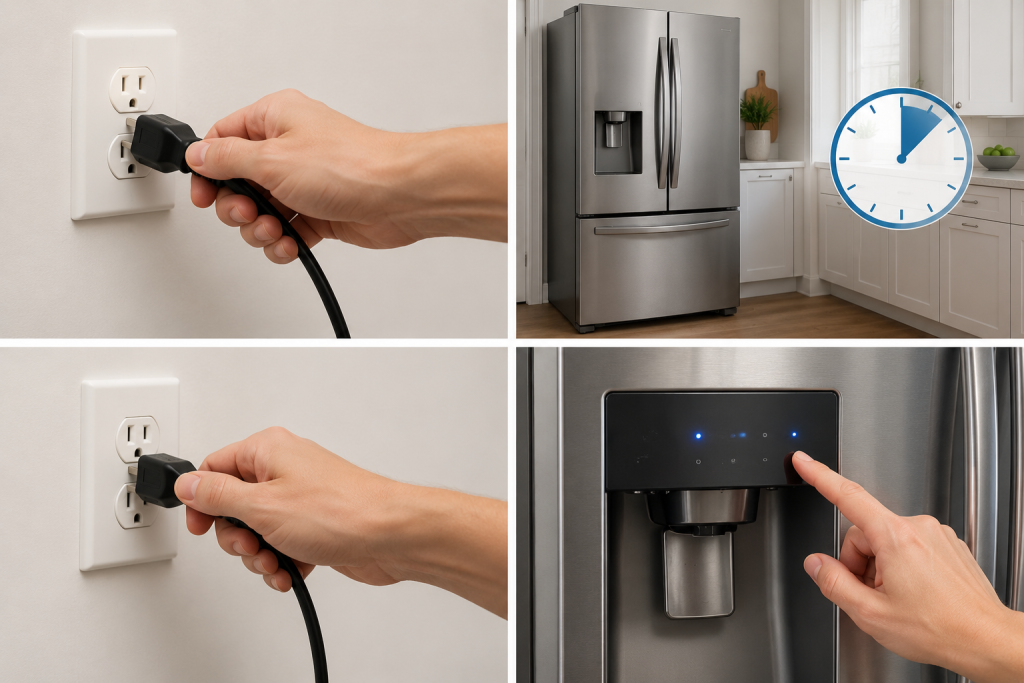
Sometimes the 22E code appears temporarily after a power outage or voltage fluctuation.
How to Reset a Samsung Refrigerator
- Unplug the refrigerator from the wall outlet
- Leave it unplugged for about 5 minutes
- Plug the refrigerator back in
- Wait several minutes to see if the code returns
If the error disappears permanently, the issue may have been temporary.
Step 2: Check for Ice Buildup Around the Evaporator Fan
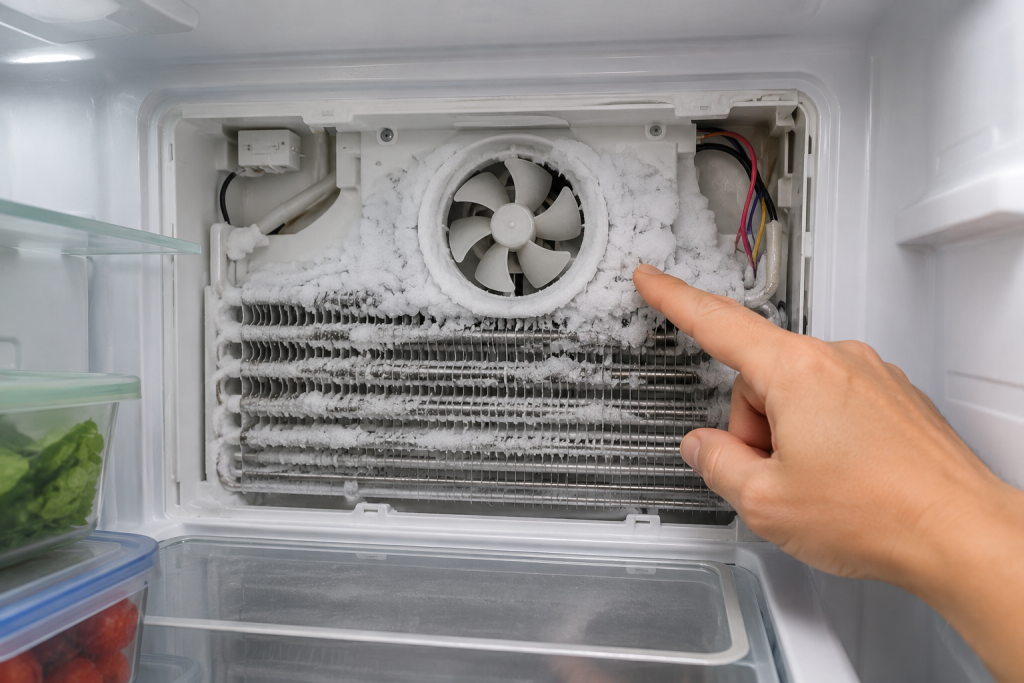
Ice buildup is one of the most common causes of the Samsung 22E error.
When frost forms around the fan blades, the fan cannot spin properly.
How to Check for Frost
- Open the refrigerator compartment
- Remove shelves and drawers if necessary
- Look for frost or ice near the rear interior panel
- Listen for fan blades hitting ice
If heavy frost is present, unplug the refrigerator and allow it to fully defrost for 24 hours with the doors open.
As an Amazon Associate I earn from qualifying purchases.
After restarting the refrigerator, use a refrigerator thermometer to check whether the compartment is cooling properly rather than relying on how cold it feels.
If your refrigerator is not cooling properly, also read: Refrigerator Not Cooling? 7 Easy Fixes That Actually Work
Step 3: Make Sure Air Vents Are Not Blocked

Blocked vents restrict airflow and can contribute to evaporator fan problems.
Common Causes of Blocked Vents
- Food containers pushed against vents
- Overpacked refrigerator shelves
- Ice buildup around vent openings
Move food away from vents and make sure cold air can circulate freely throughout the refrigerator.
Step 4: Clean Dirty Condenser Coils
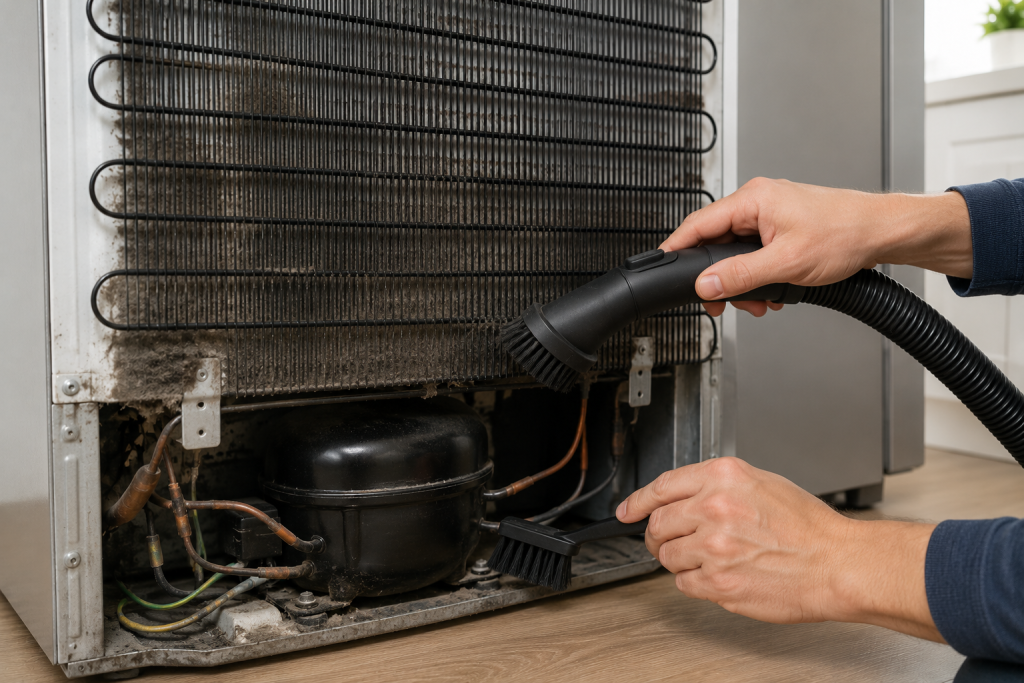
Dirty condenser coils force the refrigerator to work harder and can contribute to cooling issues and fan errors.
How to Clean Condenser Coils
- Unplug the refrigerator
- Locate the condenser coils behind or underneath the unit
- Use a vacuum with a crevice attachment or a soft brush to remove dust from accessible areas.
- Restore power and monitor operation
Cleaning the coils every 6–12 months helps improve refrigerator efficiency.
A refrigerator coil cleaning brush can help loosen dust from accessible condenser coils before vacuuming. Follow your model’s maintenance instructions, keep the refrigerator unplugged while cleaning, and avoid bending the fins or tubing.
The experts at Samsung Support provide additional refrigerator troubleshooting guidance.
Step 5: Inspect the Evaporator Fan Motor
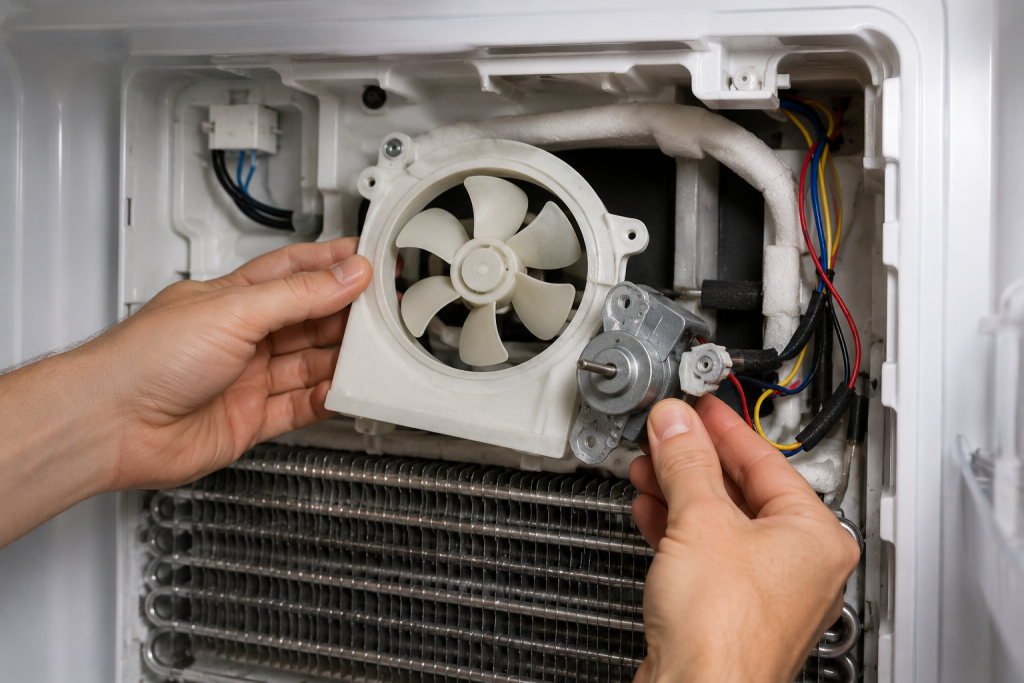
If the fan motor fails, the refrigerator may display the 22E code continuously.
Signs of a Bad Evaporator Fan
- Grinding noises
- No airflow inside refrigerator
- Fan not spinning
- Intermittent cooling problems
You may need to remove the interior rear panel inside the refrigerator compartment to access the fan motor.
If the fan blades do not spin freely or the motor appears damaged, replacement may be necessary.
If troubleshooting confirms a failed motor, browse Samsung refrigerator evaporator fan motors on Amazon. Match the replacement to your refrigerator’s complete model number and the original part number before ordering. A 22E code alone does not confirm that the motor needs replacement.
Step 6: Check the Refrigerator Door Seal

A damaged door gasket allows warm air into the refrigerator, creating excess moisture and frost buildup.
How to Inspect the Door Seal
- Check for cracks or gaps in the gasket
- Clean dirt and debris from the seal
- Make sure the door closes tightly
- Replace damaged gaskets if necessary
A proper seal helps prevent recurring evaporator fan icing issues. If the seal is torn or damaged, browse Samsung refrigerator replacement door gaskets on Amazon. Match the gasket to your complete refrigerator model number and the specific door before purchasing.
Step 7: Inspect Wiring or the Main Control Board
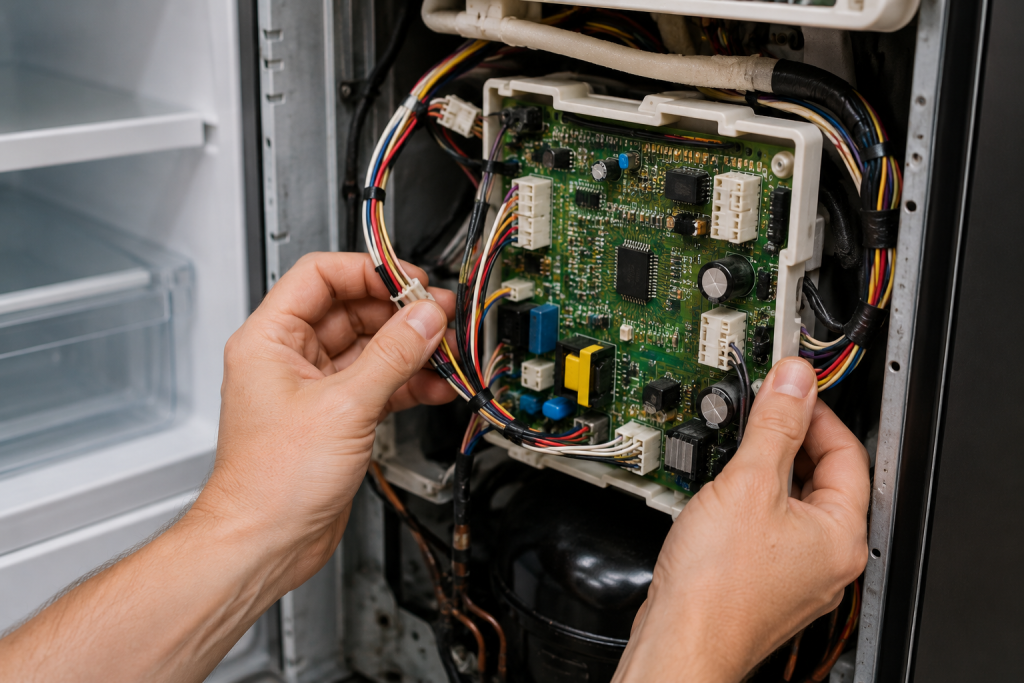
If the fan and airflow appear normal but the error continues, the issue may involve electrical components.
Possible Electrical Causes
- Loose wiring connections
- Damaged fan harness
- Faulty control board
Electrical testing may require a multimeter and appliance repair experience.
If you are uncomfortable working with electrical components, contact a qualified appliance technician.
How to Prevent Samsung Refrigerator 22E Errors
You can reduce the chances of future 22E errors by following a few maintenance tips:
- Keep refrigerator vents clear
- Avoid leaving doors open too long
- Clean condenser coils regularly
- Check door seals for leaks
- Avoid overloading the refrigerator
- Defrost excessive frost buildup promptly
Frequently Asked Questions
Can a Samsung refrigerator still cool with a 22E error?
Sometimes the refrigerator may continue cooling temporarily, but airflow is usually reduced. The issue should be fixed quickly to avoid food spoilage.
Will unplugging the refrigerator clear the 22E error?
It may temporarily clear the code, especially after a power fluctuation. However, the error usually returns if the underlying problem remains.
How much does it cost to replace a Samsung evaporator fan motor?
Professional repairs often range from $150–$400 depending on labor costs and refrigerator model.
How long should I defrost the refrigerator?
For heavy ice buildup, a full 24-hour defrost is usually recommended.
Troubleshooting a different code? Browse our complete collection of appliance error-code guides.
Final Thoughts
A Samsung refrigerator 22E error code usually points to an evaporator fan or airflow problem inside the refrigerator compartment. In many cases, frost buildup or blocked vents are the main cause.
Starting with a full reset and defrost often solves the issue. If the error continues, inspecting the evaporator fan motor and electrical components may be necessary.
Regular refrigerator maintenance can help prevent the Samsung refrigerator 22E error code from returning.