
Last updated: October 14, 2026
By Home Repair Genie
Quick Answer
A Samsung washer 4C error indicates that the washer is not receiving enough water or is taking too long to fill. Common causes include closed water supply valves, kinked hoses, clogged inlet screens, low household water pressure, or a faulty water inlet valve. Checking the water supply and cleaning the inlet screens are often the quickest fixes.
What Does the Samsung Washer 4C Error Mean?
The Samsung washer 4C error is a water supply error code. It appears when the washer cannot fill with water within the expected amount of time.
Samsung washers continuously monitor water levels during the fill cycle. If the machine detects insufficient water flow, it will stop the cycle and display the 4C code to prevent improper operation.
What Causes a Samsung Washer 4C Error?
Several issues can prevent water from entering the washer properly.
Common causes include:
- Closed water supply valves
- Kinked fill hoses
- Clogged inlet screens
- Low water pressure
- Frozen water lines
- Faulty water inlet valve
- Control board or wiring issues
Fortunately, most causes can be resolved without professional repair.
Step 1: Verify the Water Supply Valves Are Fully Open
Why It Matters
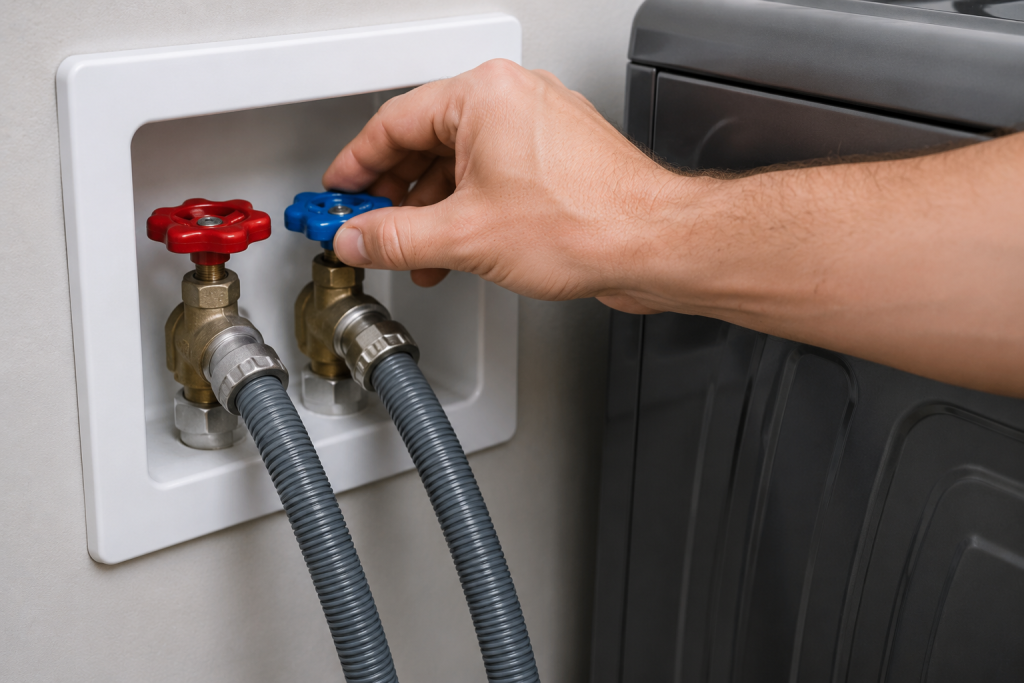
If either water valve is partially closed, the washer may not receive enough water to complete the fill cycle.
How to Check
- Pull the washer away from the wall.
- Locate the hot and cold water shutoff valves.
- Turn both valves fully counterclockwise.
- Start a new cycle.
If the washer fills normally, the issue has been resolved.
Step 2: Inspect the Water Fill Hoses
Why It Matters
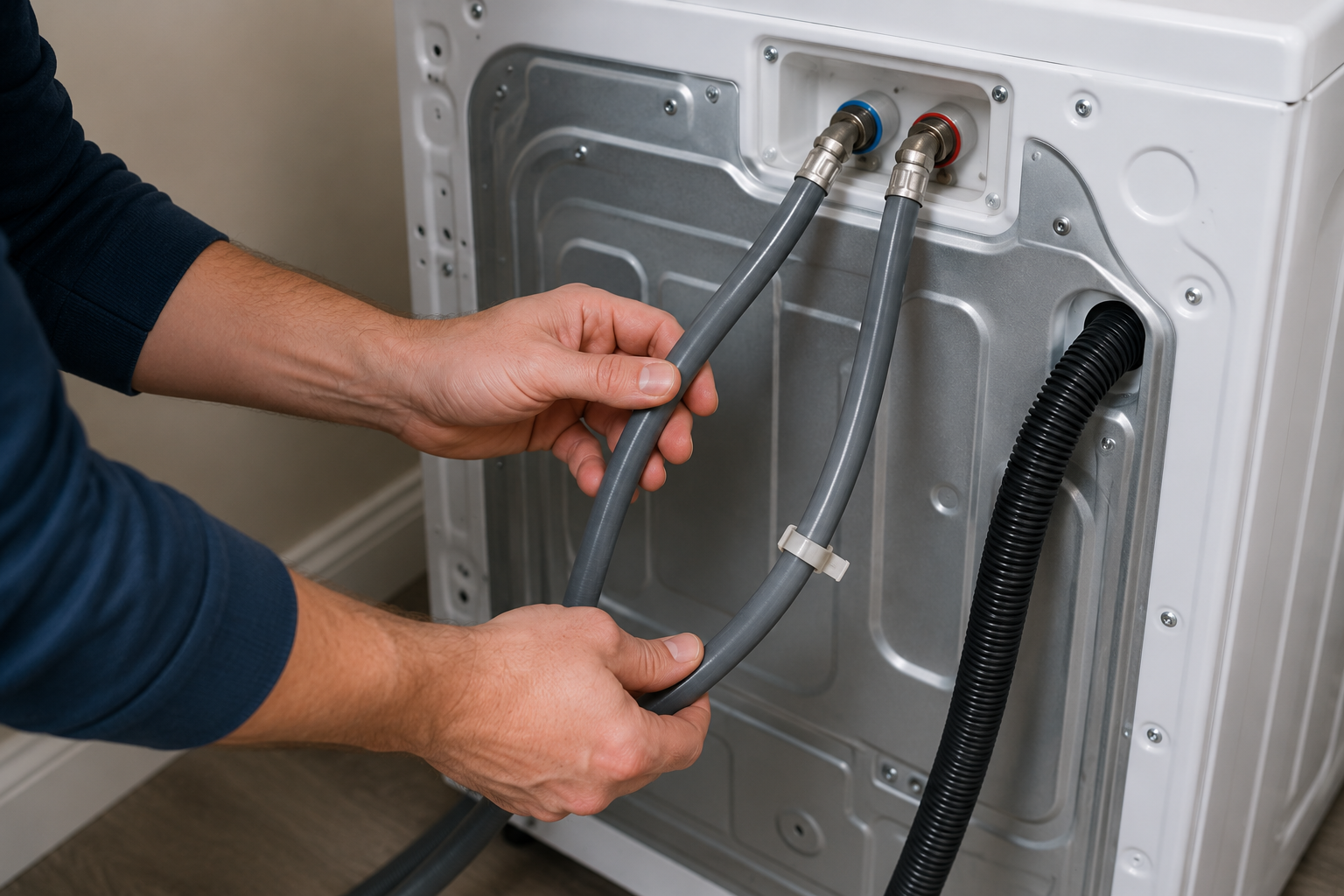
Water hoses can become kinked, crushed, or twisted behind the washer.
How to Inspect
- Turn off both water supply valves.
- Examine the fill hoses.
- Look for:
- Sharp bends
- Kinks
- Cracks
- Internal collapse
- Replace damaged hoses if necessary.
As an Amazon Associate I earn from qualifying purchases.
If a fill hose is cracked, damaged, or permanently kinked, browse replacement washing-machine fill hoses on Amazon. Choose hoses compatible with your Samsung washer’s connections and rated for the applicable hot or cold water supply. Select enough length to avoid stretching or sharp bends, and check for leaks after installation.
For additional washer troubleshooting, see our guide on washer not spinning.
Step 3: Clean the Water Inlet Screens
Why It Matters
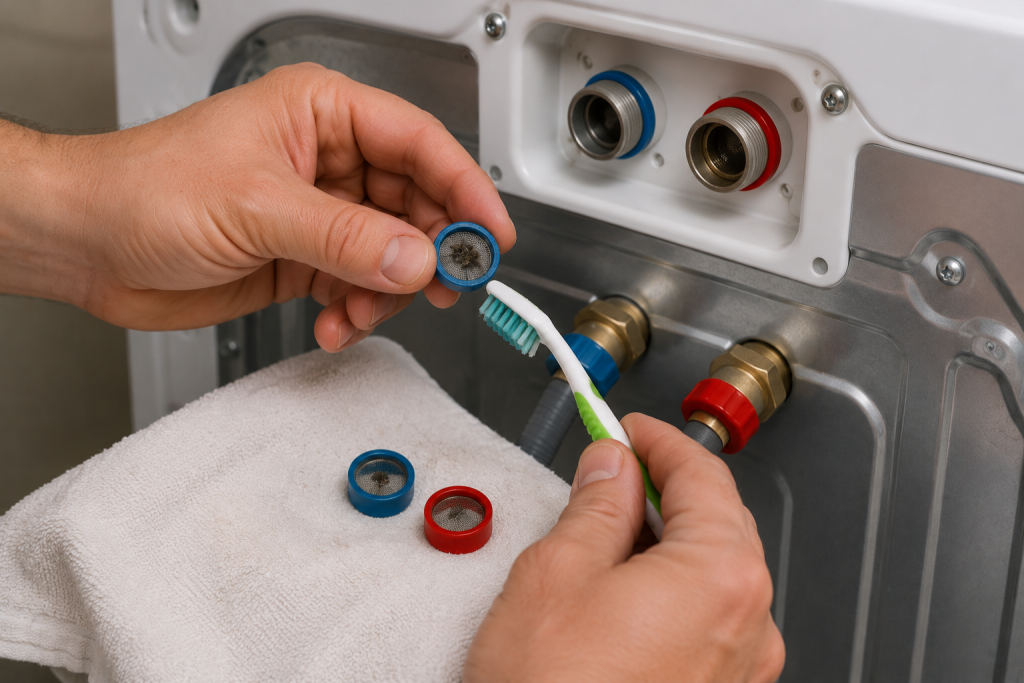
Mineral deposits, sediment, and rust can clog the inlet screens and restrict water flow.
How to Clean the Screens
- Turn off the water supply.
- Disconnect the fill hoses.
- Locate the small mesh screens inside the washer’s water inlets.
- Carefully remove debris using a soft brush.
- Rinse thoroughly.
- Reconnect the hoses.
A small soft-bristle nylon cleaning brush can help remove sediment from the inlet mesh filters without damaging them. Unplug the washer and close the water supply valves before disconnecting hoses. Follow your model’s manual for filter removal, cleaning, and reinstallation, and never operate the washer with the filters missing.
This is one of the most common fixes for a Samsung washer 4C error.
Step 4: Check Household Water Pressure
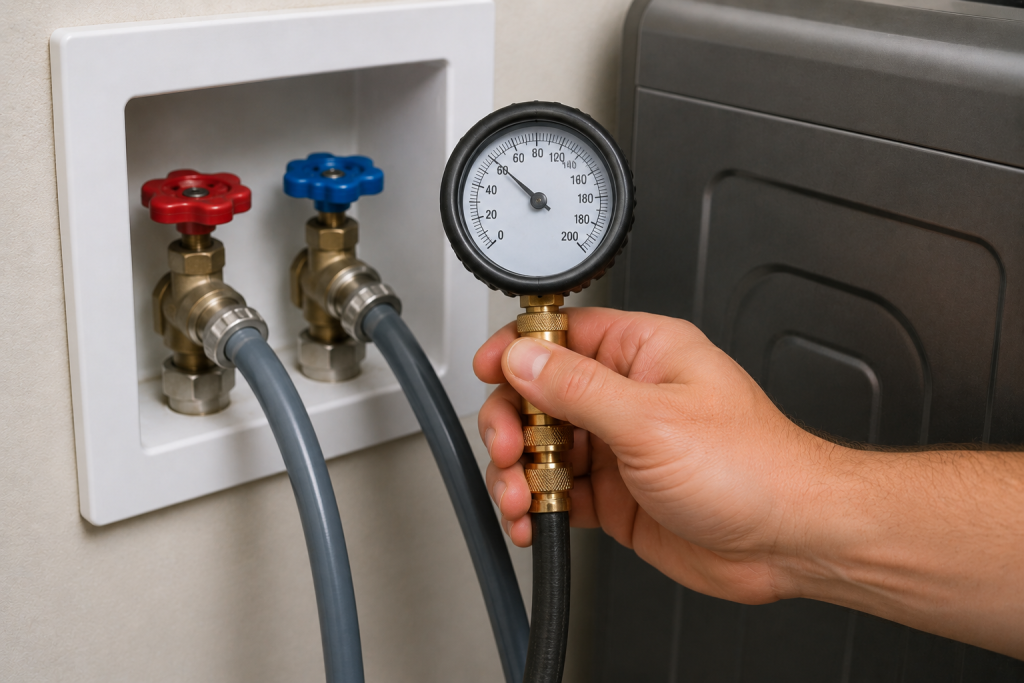
Why It Matters
Samsung washers require adequate water pressure to fill properly.
How to Test
- Disconnect one fill hose.
- Place the hose into a bucket.
- Briefly open the water valve.
- Observe the water flow.
Weak flow may indicate a plumbing issue rather than a washer problem.
Step 5: Inspect the Water Inlet Valve
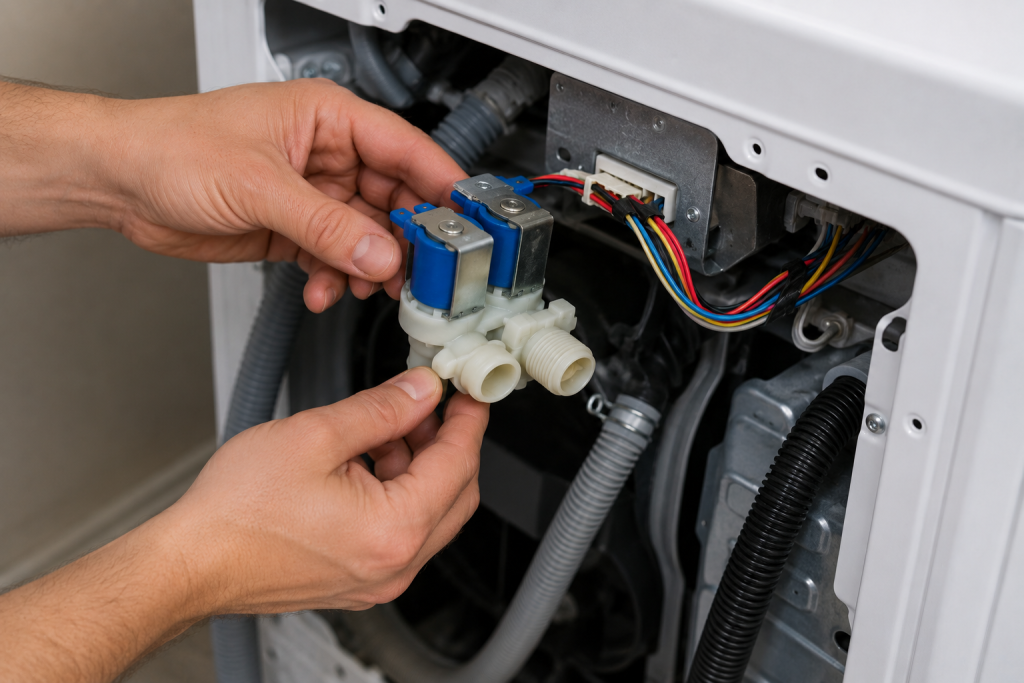
Why It Matters
The water inlet valve controls water entering the washer. If it becomes clogged or fails electrically, the washer may display the 4C code.
How to Inspect
- Unplug the washer.
- Remove the rear access panel if applicable.
- Locate the inlet valve assembly.
- Check for:
- Mineral buildup
- Cracks
- Corrosion
- Damaged electrical connectors
Replace the valve if it shows signs of failure.
If diagnosis confirms a defective inlet valve, browse replacement Samsung washer water inlet valves on Amazon. Match the manufacturer’s specified part number to your washer’s full model code, including its suffix or revision where applicable. The 4C code alone does not prove that the valve needs replacing.
Step 6: Examine Wiring Connections
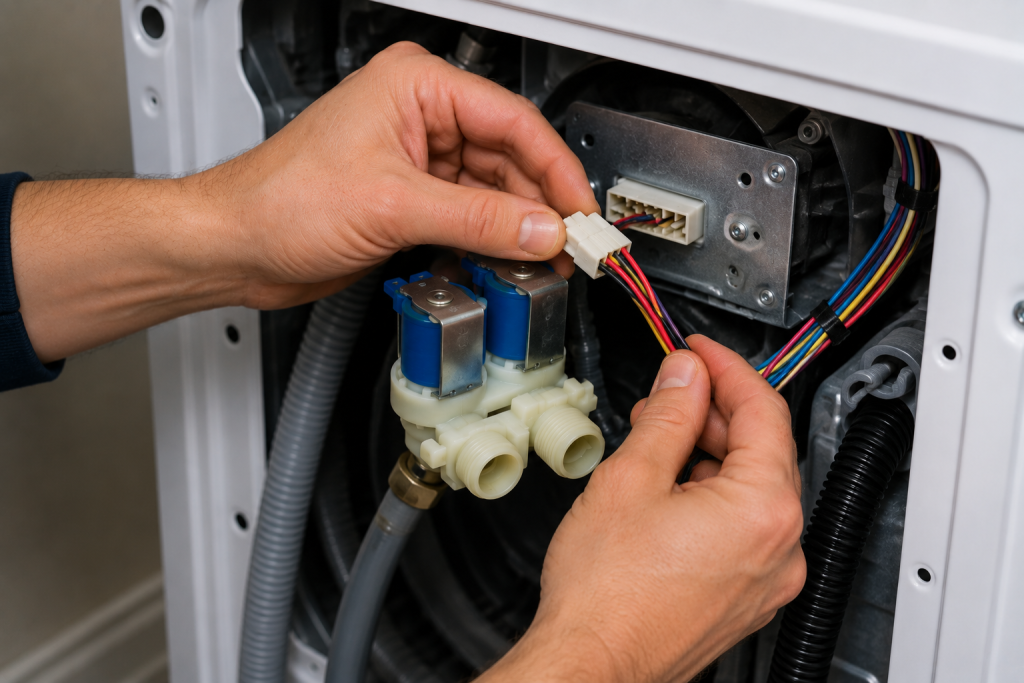
Why It Matters
Loose or damaged wiring can prevent the inlet valve from receiving power.
How to Inspect
- Disconnect power.
- Locate the wiring harness connected to the inlet valve.
- Check for:
- Loose connectors
- Corrosion
- Burned wires
- Damaged insulation
- Reconnect any loose terminals securely.
You can also browse our other Appliance Repair Guides for additional troubleshooting help.
Step 7: Inspect the Main Control Board
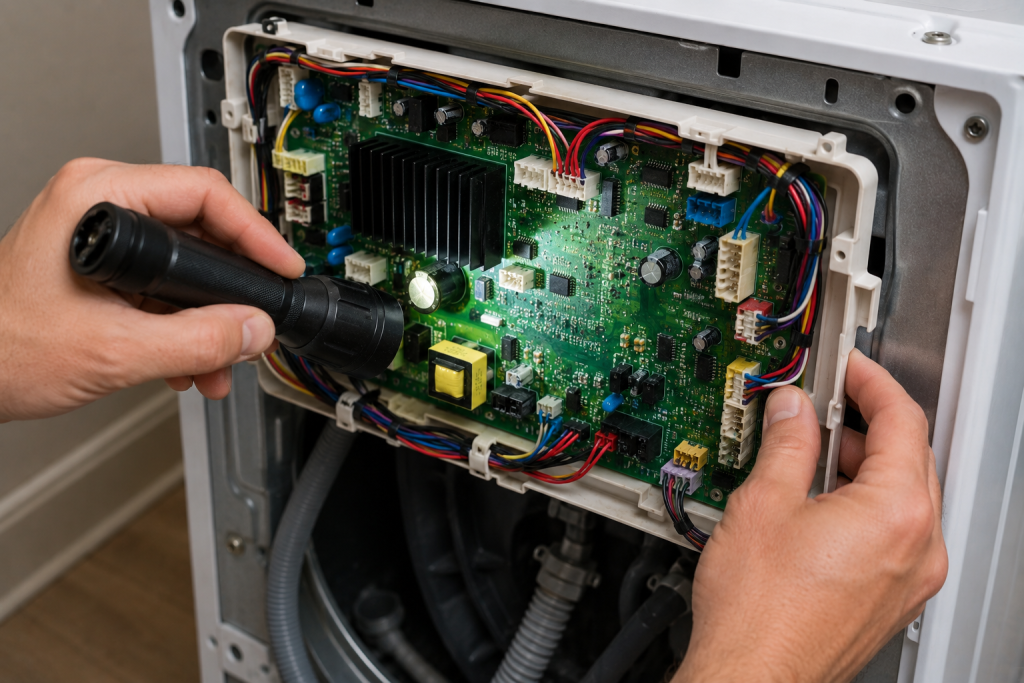
Why It Matters
The control board sends signals to the inlet valve during the fill cycle. If the board fails, water may not enter properly.
How to Inspect
- Disconnect power.
- Access the control board compartment.
- Look for:
- Burn marks
- Corrosion
- Swollen components
- Loose connections
Control board replacement should generally be considered only after all other causes have been ruled out.
How to Prevent a Samsung Washer 4C Error
Regular maintenance helps keep water flowing properly.
Preventive Maintenance Tips
- Inspect hoses annually.
- Clean inlet screens every 6–12 months.
- Replace aging rubber hoses.
- Keep water valves fully open.
- Address low water pressure promptly.
- Flush plumbing lines after major plumbing work.
Samsung also provides maintenance recommendations through the Samsung Support Center.
Frequently Asked Questions
Can I continue using my washer with a 4C error?
No. The washer may not receive enough water to clean clothes properly and may stop mid-cycle.
Is the Samsung 4C error the same as a water supply problem?
Yes. The 4C code specifically indicates that the washer is not receiving sufficient water.
Can low water pressure cause a 4C error?
Absolutely. Low household water pressure is one of the most common causes.
How do I reset a Samsung washer after a 4C error?
Unplug the washer for one minute, reconnect power, and restart the cycle after correcting the underlying issue.
Will cleaning the inlet screens fix the 4C error?
In many cases, yes. Clogged screens frequently restrict water flow enough to trigger the code.
Troubleshooting a different code? Browse our complete collection of appliance error-code guides.
Final Thoughts
A Samsung washer 4C error usually indicates a water supply problem rather than a major washer failure. Start by checking the water valves, inspecting the fill hoses, and cleaning the inlet screens. If the issue persists, move on to the water inlet valve, wiring, and control board. Most homeowners can resolve the problem without expensive repairs when the issue is addressed early.