Last updated: May 21, 2026
By Home Repair Genie
If your LG dryer displays the D80 error code, this LG Dryer D80 Error Code Causes and Fixes guide will help you troubleshoot the issue step by step. The D80 code usually means airflow through the dryer vent system is restricted by about 80%, which can lead to overheating and poor drying performance.
Quick Answer for LG Dryer D80 Error Code Causes and Fixes
The LG dryer D80 error code indicates restricted airflow in the dryer vent system. To fix it, clean the lint filter, inspect the exhaust hose, remove vent blockages, check the outside vent hood, and reduce excessive vent length or bends. Restricted airflow is one of the most common causes of long drying times and overheating.
What Does the LG Dryer D80 Error Code Mean?
The D80 code on an LG dryer means the appliance has detected roughly 80% airflow blockage in the venting system.
LG dryers monitor airflow using sensors that detect heat and exhaust restrictions. If airflow becomes severely limited, the dryer displays warning codes such as:
- D80 = approximately 80% blocked
- D90 = approximately 90% blocked
- D95 = approximately 95% blocked
Ignoring these warnings can increase drying times and create excessive heat buildup.
If your dryer is also not heating properly, read our guide on Dryer Taking Too Long to Dry Clothes? 7 Easy Fixes That Actually Work.
Step 1: Clean the Lint Filter
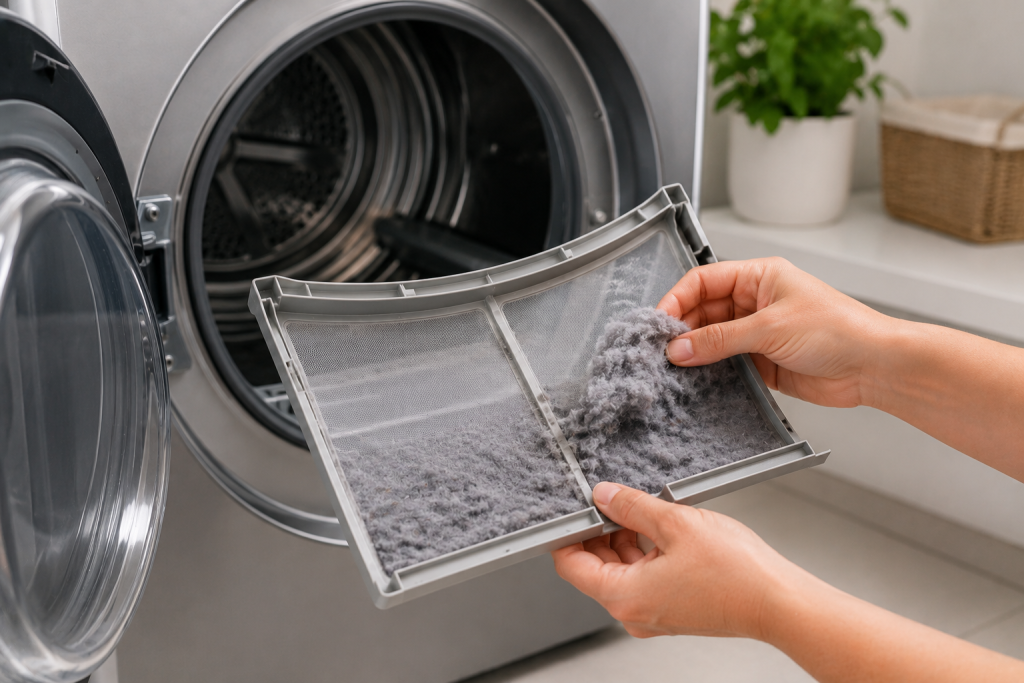
A clogged lint filter is the simplest and most common cause of airflow restriction.
How to Clean the Dryer Lint Filter
- Remove the lint screen from the dryer.
- Peel away all lint buildup.
- Wash the screen with warm water if fabric softener residue is present.
- Allow the filter to dry completely.
- Reinstall the lint filter securely.
Clean the lint filter after every load to maintain proper airflow. This first step is an important part of LG Dryer D80 Error Code Causes and Fixes.
Step 2: Inspect the Dryer Vent Hose
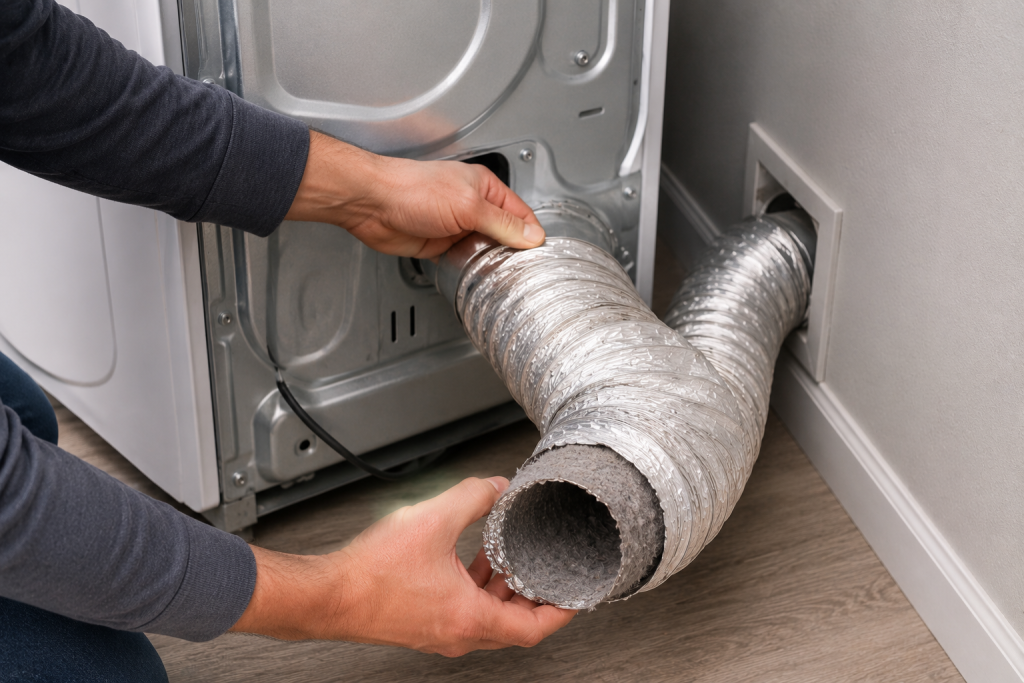
The vent hose behind the dryer can easily become crushed or clogged.
How to Check the Dryer Vent Hose
- Pull the dryer away from the wall carefully.
- Inspect the flexible exhaust hose.
- Look for kinks, crushing, or lint buildup.
- Disconnect the hose if needed.
- Vacuum out debris inside the hose.
Rigid metal venting typically provides better airflow than flexible foil-style ducts.
Step 3: Clean the Entire Dryer Vent System
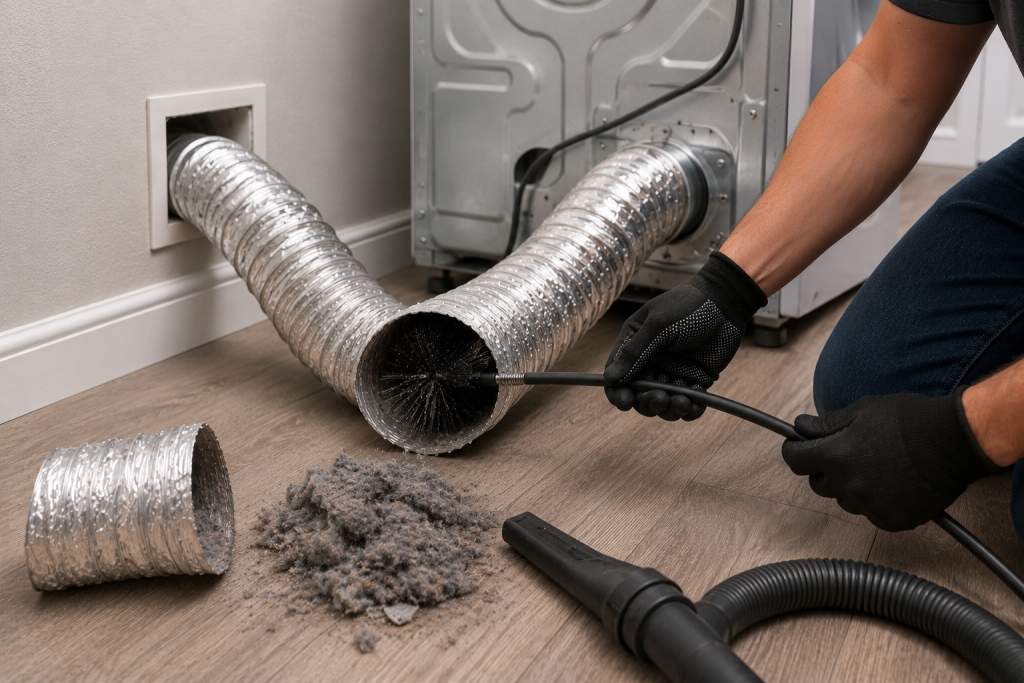
Lint buildup inside the wall vent is a major cause of D80 errors.
How to Clean the Dryer Vent
- Disconnect the dryer vent hose.
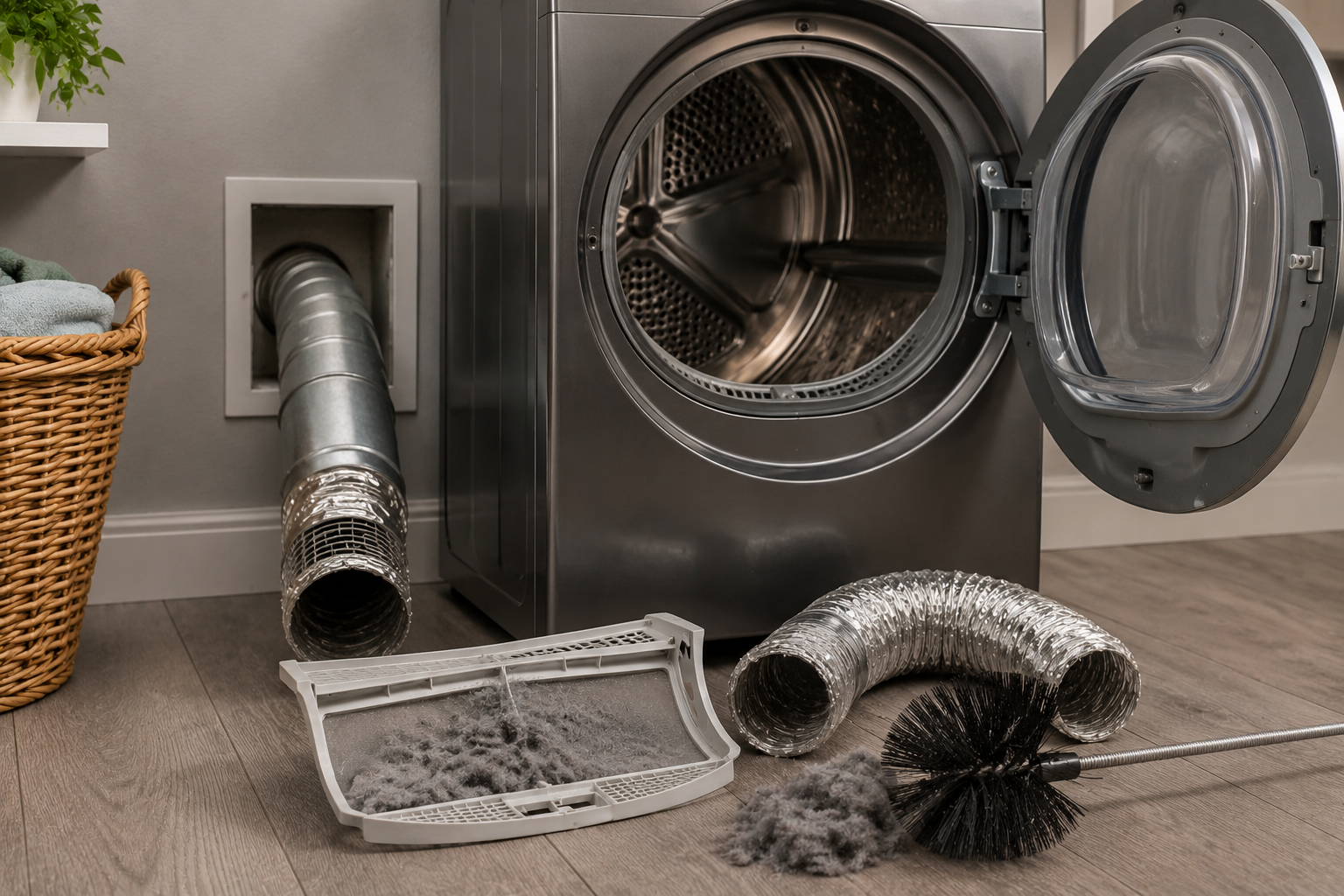
- Use a dryer vent brush kit or vacuum attachment.
- Clean the duct from both ends if possible.
- Remove compacted lint from elbows and corners.
- Reconnect the vent securely.
Many homeowners are surprised how much lint accumulates inside long vent runs.
Step 4: Check the Exterior Vent Hood
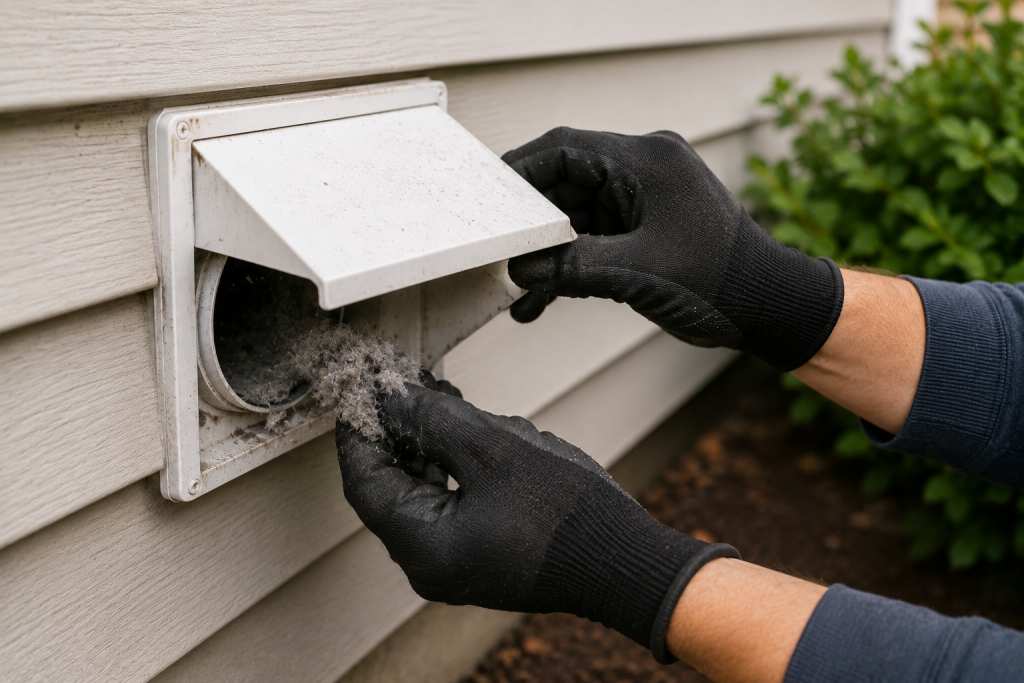
The outdoor vent hood can become blocked by lint, nests, or debris.
How to Inspect the Outside Dryer Vent
- Go outside while the dryer is running.
- Check for strong airflow at the vent hood.
- Remove lint buildup from the flap.
- Clear leaves, nests, or obstructions.
- Make sure the vent flap opens fully.
Weak airflow outside usually indicates a blockage somewhere inside the vent system.
Step 5: Reduce Excessive Vent Length or Bends
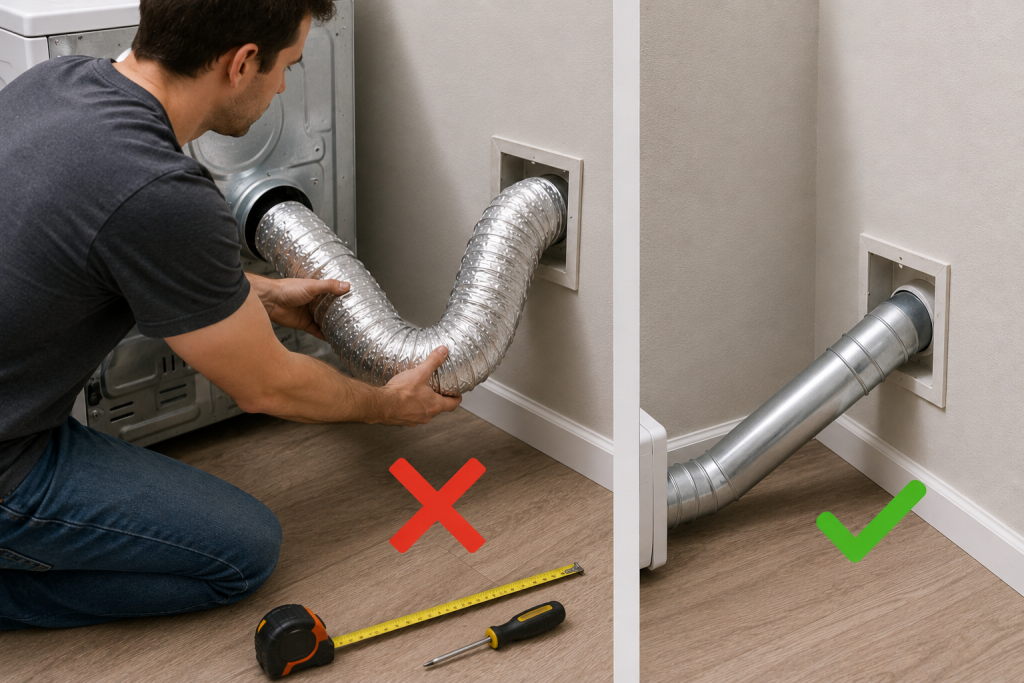
Long vent runs with multiple sharp turns reduce airflow significantly.
Venting Problems That Trigger D80 Errors
- Excessively long vent runs
- Multiple 90-degree bends
- Crushed vent tubing
- Flexible foil ducts
- Shared exhaust systems
Shorter and straighter vent paths improve dryer efficiency and reduce lint buildup. Many people don’t think of this as part of the LG Dryer D80 Error Code Causes and Fixes.
LG recommends following proper dryer vent installation guidelines available on LG Support.
Step 6: Test the Dryer Airflow
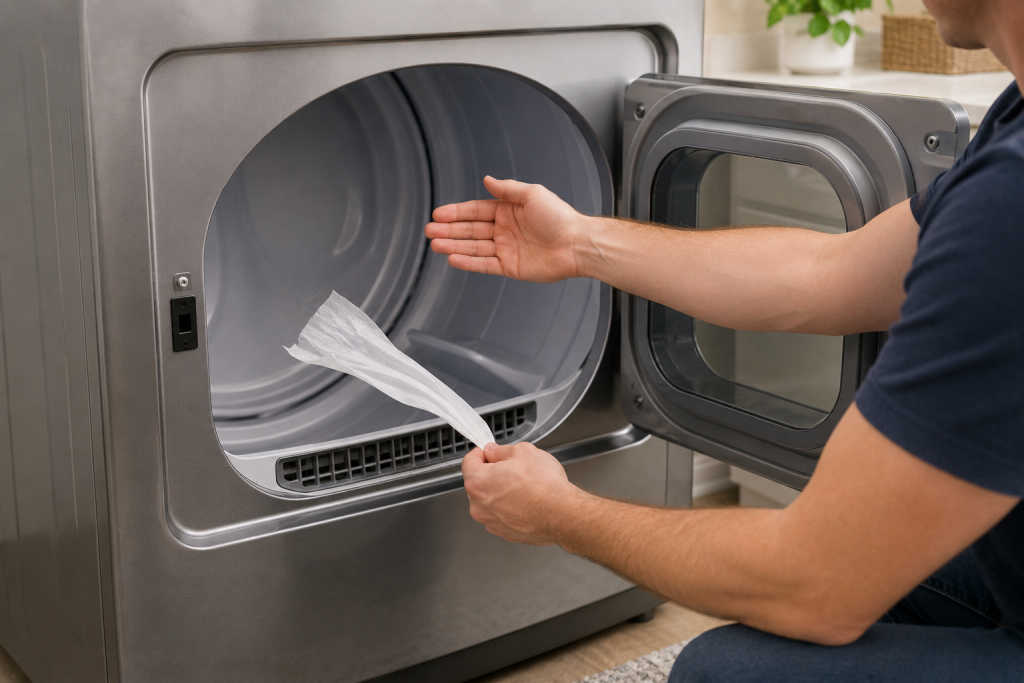
After cleaning the system, test airflow before pushing the dryer back into place.
How to Test Dryer Airflow
- Run the dryer on a heat cycle.
- Verify strong airflow outside.
- Check if the D80 code returns.
- Monitor drying performance.
- Reposition the dryer carefully to avoid crushing the vent hose.
If airflow improves, the issue was likely caused by vent blockage.
Step 7: Inspect the Internal Blower Wheel
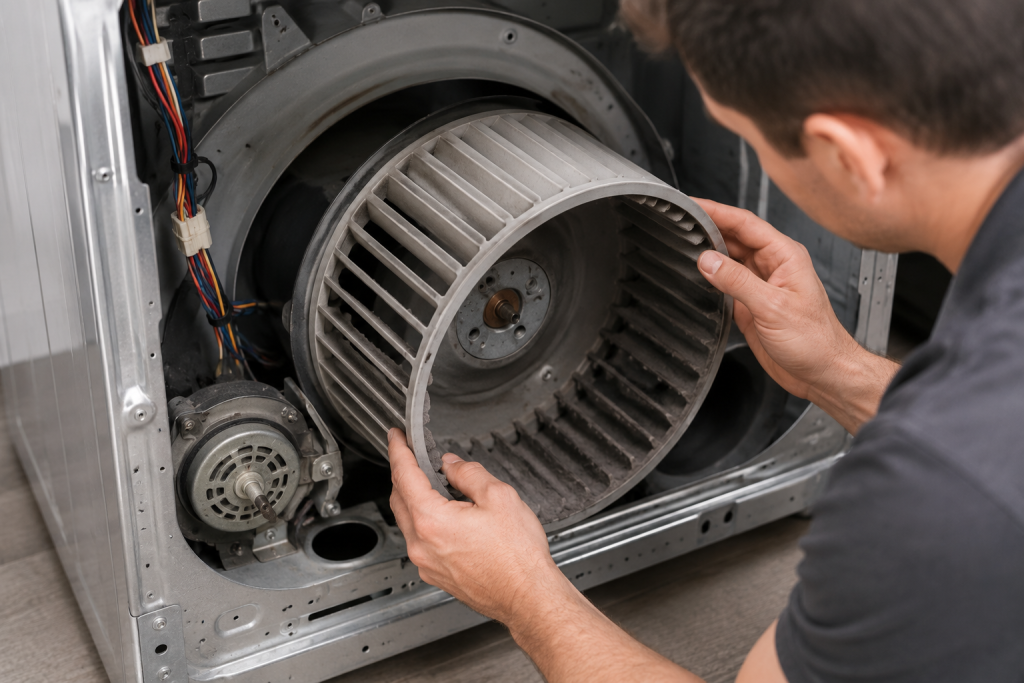
If the vent system is clear but the error persists, the internal blower wheel may be damaged or clogged.
How to Check the Blower Wheel
- Disconnect power to the dryer.
- Remove the rear or front access panel if needed.
- Locate the blower housing.
- Inspect for lint accumulation or broken fins.
- Replace the blower wheel if damaged.
A loose blower wheel may spin poorly and reduce airflow dramatically.
Signs of a Restricted Dryer Vent
Watch for these warning signs before airflow problems worsen:
- Clothes take multiple cycles to dry
- Dryer feels excessively hot
- Laundry room becomes humid
- Burning smell during operation
- Exterior vent flap barely opens
- Repeated D80, D90, or D95 codes
Restricted airflow increases wear on heating components and may shorten dryer lifespan.
How to Prevent LG Dryer D80 Errors
Routine maintenance can help prevent airflow restrictions.
Dryer Maintenance Tips
- Clean the lint filter after every load
- Inspect the vent hose every few months
- Clean the vent system annually
- Avoid crushing the vent hose
- Use rigid metal vent ducts when possible
- Check the outdoor vent flap regularly
Proper airflow improves drying performance while reducing energy usage.
FAQ for LG Dryer D80 Error Code Causes and Fixes
Is the LG D80 error dangerous?
It can be. Restricted airflow increases heat buildup and may create a fire hazard if lint accumulation becomes severe.
Can I still use the dryer with a D80 code?
You can temporarily, but continued operation with poor airflow may damage components and reduce dryer efficiency.
Will cleaning the vent fix the D80 error?
In most cases, yes. Vent blockages are the most common cause of D80 airflow warnings.
Why does my LG dryer keep showing D80 after cleaning?
There may still be blockage deeper inside the wall duct, roof vent, or blower housing.
How often should I clean my dryer vent?
Most homes should clean dryer vents at least once per year, or more often with heavy dryer use.
Final Thoughts
The LG dryer D80 error code is an airflow warning designed to help prevent overheating and lint-related fire risks. Most D80 problems are caused by clogged dryer vents, crushed hoses, or restricted airflow outside the home.
Cleaning the lint filter, vent hose, and full exhaust system usually restores proper airflow and clears the error code. Regular vent maintenance also helps your dryer run more efficiently and safely.