
Last updated: October 16, 2026
By Home Repair Genie
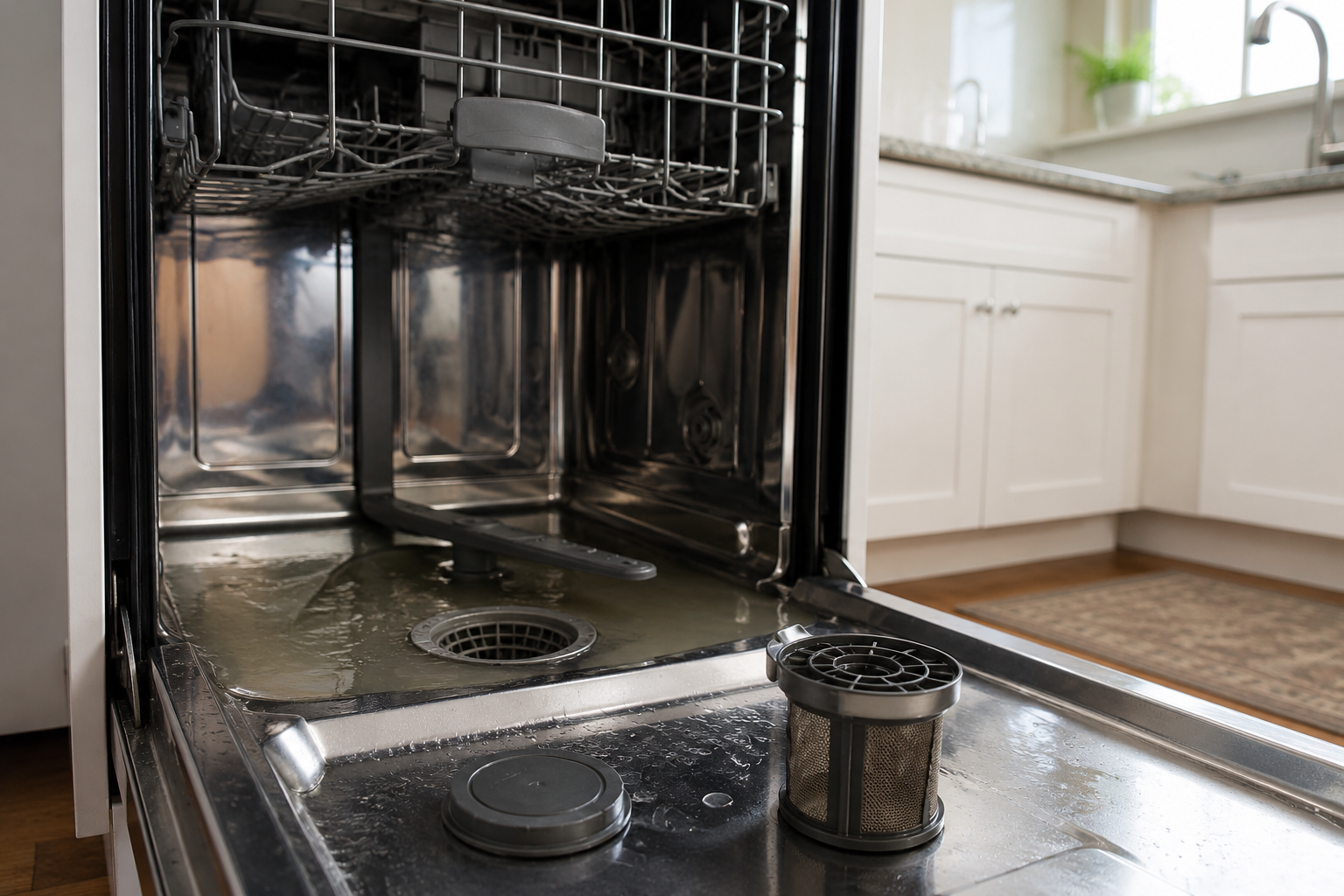
If your Whirlpool dishwasher is displaying the F9 E1 error code, the appliance is usually detecting a draining problem. In many cases, the issue is caused by a clogged filter, blocked drain hose, garbage disposal blockage, excessive soap suds, or a failing drain pump.
Quick Answer
The Whirlpool Dishwasher F9 E1 error means the dishwasher cannot drain water properly within the expected time. Start by resetting the dishwasher, cleaning the filter, inspecting the drain hose, and checking for clogs in the garbage disposal. If the problem continues, the drain pump or control board may need replacement.
What Does Whirlpool Dishwasher F9 E1 Mean?
The F9 E1 error code on a Whirlpool dishwasher indicates a draining failure. The dishwasher control board detects that water is not leaving the tub correctly during the drain cycle. Whirlpool officially identifies this as a “Can’t Drain” condition.
Common symptoms include:
- Standing water in the bottom of the dishwasher
- Dishwasher stopping mid-cycle
- Repeated beeping
- Dishes remaining dirty
- Slow draining
- Water backing up into the sink
Fortunately, most F9 E1 problems can be fixed without calling a technician.
What Causes Whirlpool Dishwasher F9 E1?
Several issues can trigger this error code:
- Clogged dishwasher filter
- Kinked or blocked drain hose
- Garbage disposal blockage
- Excessive soap suds
- Faulty drain pump
- Improper drain hose installation
- Control board problems
According to Whirlpool support documentation, drainage restrictions and excessive suds are among the most common causes.
Step-by-Step Whirlpool Dishwasher F9 E1 Fixes
Step 1: Reset the Dishwasher
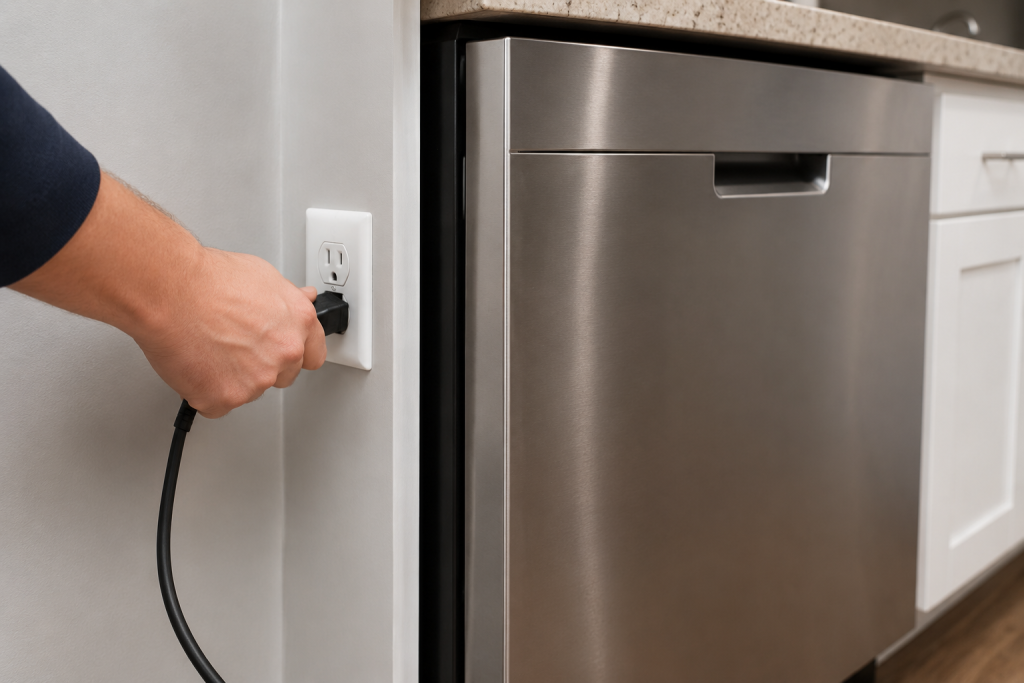
Sometimes the dishwasher control board simply needs a reset.
How to Reset a Whirlpool Dishwasher
- Turn off the dishwasher.
- Unplug it from the wall outlet for 30 seconds.
- If hardwired, switch off the breaker for 30 seconds.
- Restore power and restart a wash cycle.
Whirlpool specifically recommends cycling power as an initial troubleshooting step.
If the error returns, continue with the next steps.
If you are seeing white residue on your dishes, check out our guide on: Why Is My Dishwasher Leaving White Residue? (Causes and Easy Fixes).
Step 2: Clean the Dishwasher Filter
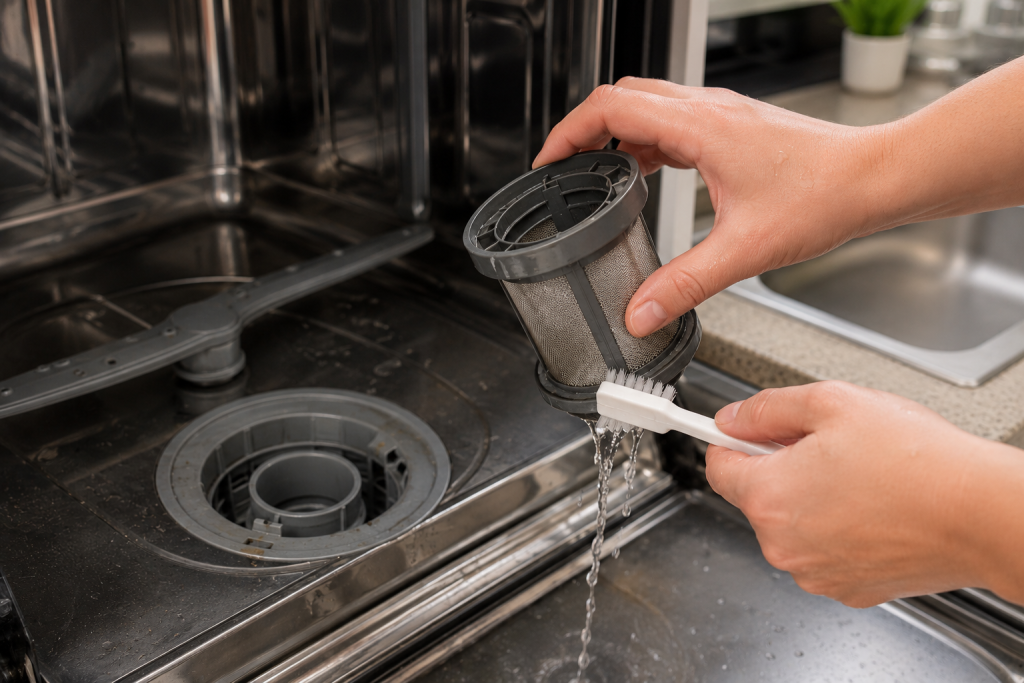
A clogged filter is one of the most common causes of draining issues.
As an Amazon Associate I earn from qualifying purchases.
How to Clean the Filter
- Remove the bottom rack.
- Twist and lift out the filter assembly.
- Rinse the filter under warm water.
- Gently remove stubborn food residue with a small soft-bristle cleaning brush. An old soft toothbrush also works. Avoid wire brushes and abrasive pads, and reinstall the filter securely according to your model’s instructions.
- Reinstall the filter securely.
A dirty filter can slow or completely block water drainage.
If you are also seeing standing water in your dishwasher, you may want to read: Dishwasher Not Draining? 7 Easy Fixes That Actually Work.
Step 3: Inspect the Drain Hose
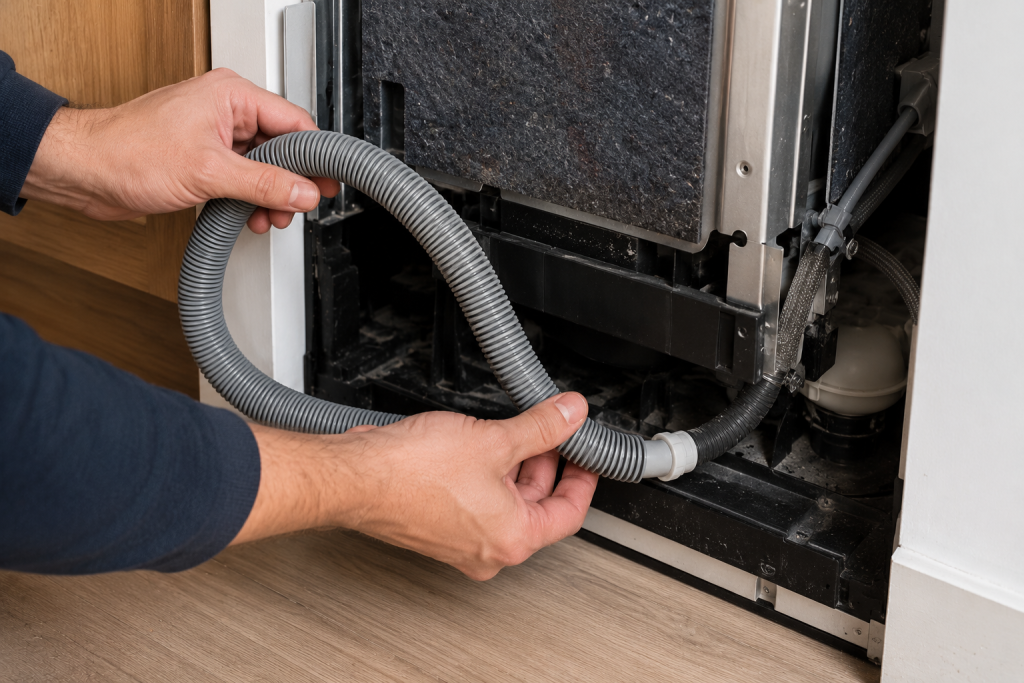
A blocked or kinked drain hose can prevent water from leaving the dishwasher.
How to Check the Drain Hose
- Turn off power to the dishwasher.
- Pull the dishwasher forward carefully.
- Inspect the hose for bends or pinches.
- Disconnect the hose and flush it with water.
- Remove any debris buildup.
Make sure the hose has a proper high loop to prevent backflow.
If the hose is split, permanently crushed, or cannot be cleared, look for a replacement Whirlpool dishwasher drain hose compatible with your exact model. Confirm the required length and connections, and follow the installation instructions for routing and any required high loop or air gap.
Whirlpool notes that improper hose routing can trigger F9 E1 errors.
Step 4: Check the Garbage Disposal Connection
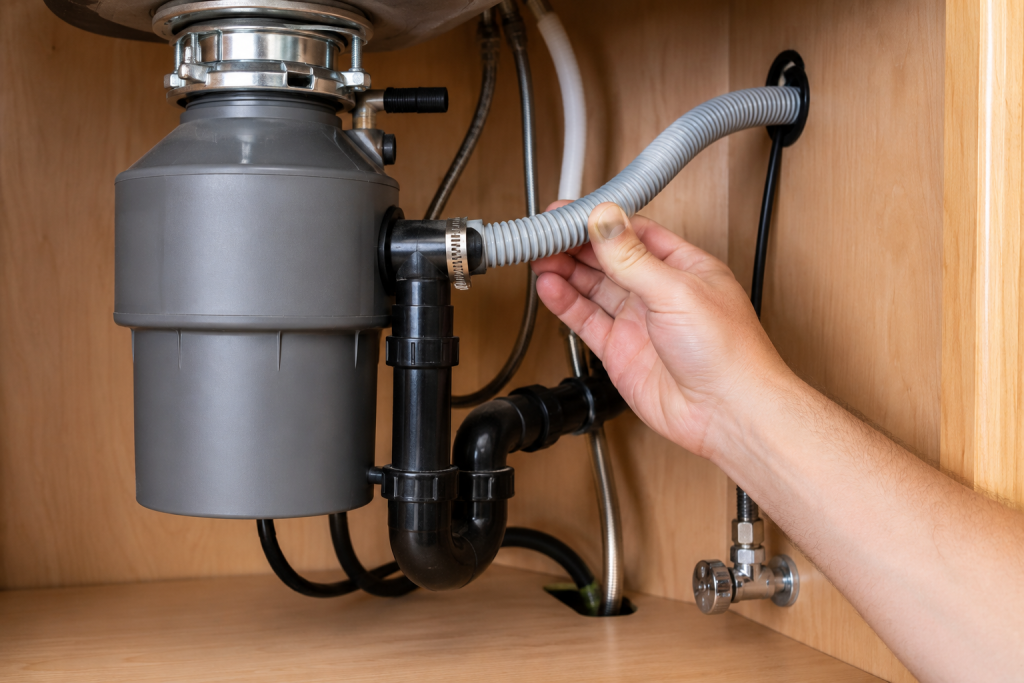
If your dishwasher drains through a garbage disposal, a blockage may be preventing drainage.
What to Inspect
- Run the garbage disposal thoroughly.
- Check for food buildup inside the disposal.
- Verify the knockout plug was removed during installation.
- Flush the sink drain with hot water.
Whirlpool specifically warns that a forgotten knockout plug can cause drainage errors.
Step 5: Eliminate Excessive Soap Suds
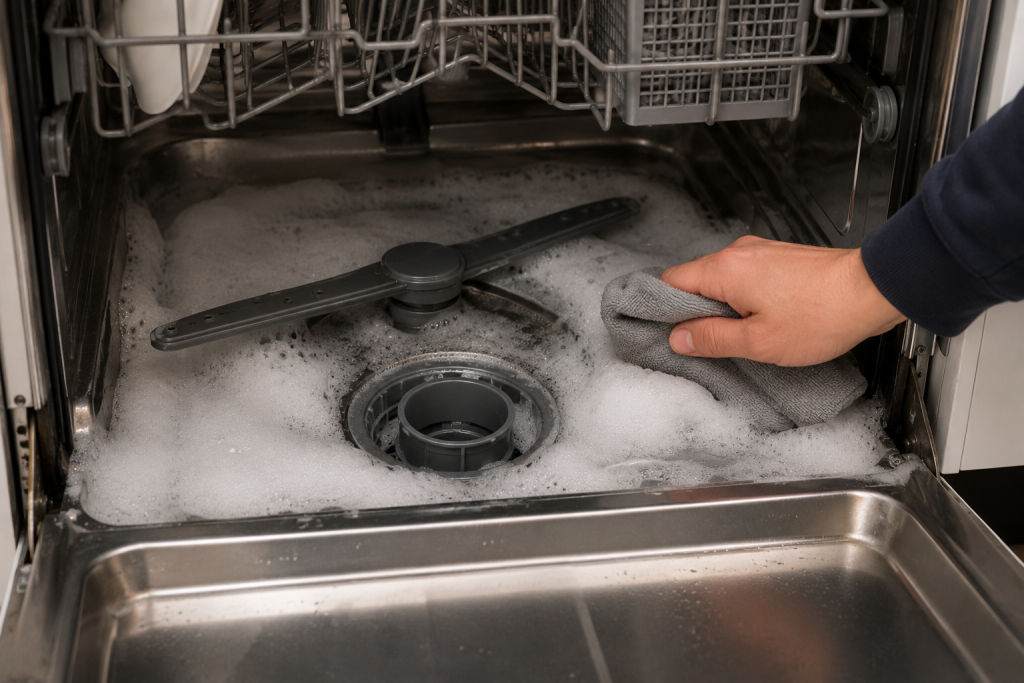
Using the wrong detergent can create excessive suds that interfere with draining.
Signs of Suds Problems
- Foamy water inside the dishwasher
- Bubbling sounds
- Water not draining correctly
- Error appearing after adding cleaner or dish soap
Use only detergent formulated for automatic dishwashers, following the recommended amount for your machine and water conditions. Hand dishwashing liquid can create excessive foam and should never be substituted. Switching detergent will not clear an existing drain blockage.
Whirlpool confirms that excessive suds can trigger F9 E1 errors.
For dishwasher cleaning tips, see: How to Clean a Dishwasher: 7 Easy Steps for Sparkling Results (DIY Guide).
Step 6: Inspect the Drain Pump
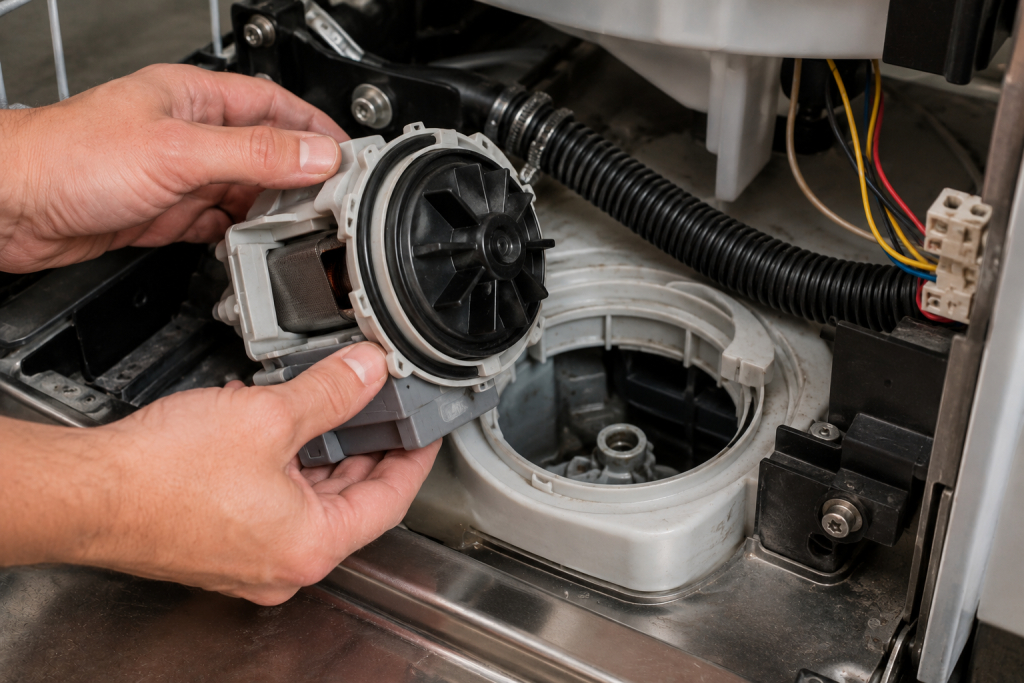
If water still will not drain, the drain pump may be clogged or failing.
How to Check the Drain Pump
- Disconnect power.
- Remove the lower access panel.
- Locate the drain pump underneath the dishwasher.
- Check for broken glass, food particles, or debris.
- Spin the impeller carefully to verify movement.
If the pump is noisy, seized, or damaged, replacement may be necessary.
If diagnostic testing confirms that the pump has failed, compare replacement Whirlpool dishwasher drain pumps using your appliance’s complete model number and the manufacturer’s specified part number. An F9 E1 code alone does not establish that the pump needs replacement.
Several appliance repair sources identify drain pump failure as a common F9 E1 cause.
Step 7: Consider a Faulty Control Board
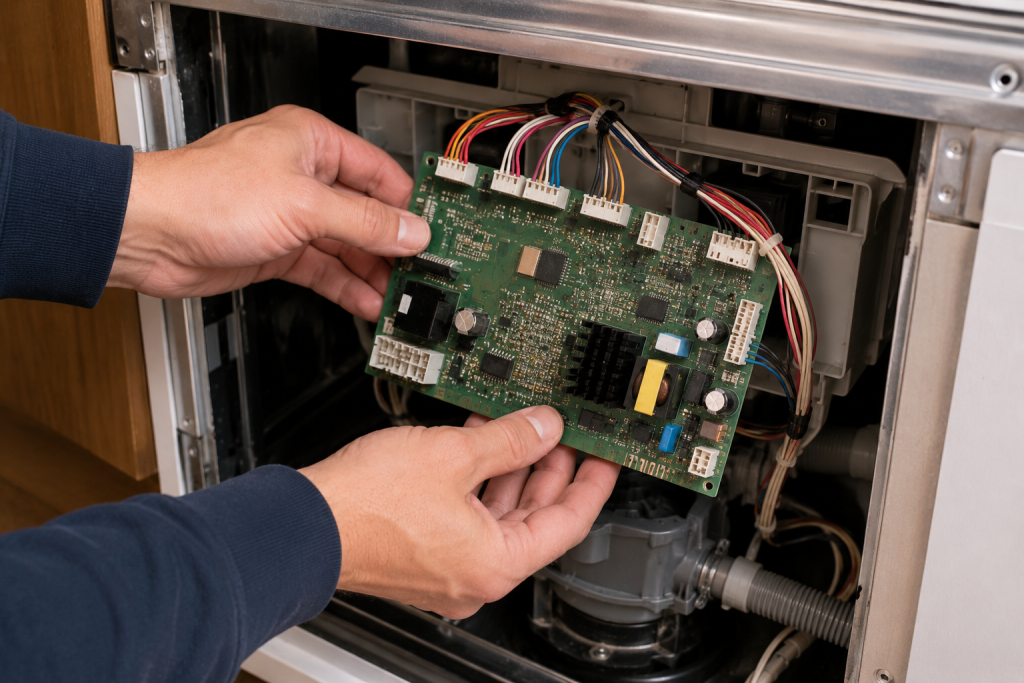
If all drainage components appear normal, the electronic control board may not be sending proper signals to the drain pump.
Signs of a Bad Control Board
- Intermittent F9 E1 errors
- Dishwasher stopping randomly
- Multiple error codes appearing
- Drain pump not receiving power
Control board replacement is typically a more advanced repair.
If your dishwasher continues failing after all troubleshooting steps, professional diagnosis may be necessary.
How to Prevent Whirlpool Dishwasher F9 E1 Errors
Preventative maintenance can help avoid future drainage problems.
Prevention Tips
- Clean the filter monthly
- Scrape large food debris off dishes
- Use only dishwasher detergent
- Run hot water before starting cycles
- Inspect the drain hose annually
- Clean the garbage disposal regularly
These simple habits can significantly reduce drain-related dishwasher issues.
When to Call a Professional
You should consider professional appliance repair if:
- The drain pump will not run
- The dishwasher repeatedly trips breakers
- Water leaks underneath the appliance
- The control board appears damaged
- The error returns immediately after resetting
Professional diagnosis may be required for electrical or internal component failures.
For additional dishwasher maintenance guidance, visit:
This Old House
Frequently Asked Questions
Is Whirlpool Dishwasher F9 E1 Serious?
Usually not. In many cases, the issue is caused by a clog or drainage restriction that can be fixed at home.
Can a Garbage Disposal Cause F9 E1?
Yes. A blocked garbage disposal or unremoved knockout plug can prevent proper draining.
Will Resetting the Dishwasher Fix F9 E1?
Sometimes. A power reset may clear temporary control board glitches.
Can Soap Cause Whirlpool F9 E1 Errors?
Yes. Using regular dish soap instead of dishwasher detergent can create excessive suds and drainage problems.
How Much Does It Cost to Repair Whirlpool F9 E1?
DIY fixes may cost nothing, while professional repairs involving drain pumps or control boards can range from $150–$400 depending on the model and parts needed.
Troubleshooting a different code? Browse our complete collection of appliance error-code guides.
Final Thoughts
The Whirlpool Dishwasher F9 E1 error usually points to a drainage problem caused by clogs, blocked hoses, soap suds, or a failing drain pump. Start with simple fixes like resetting the dishwasher and cleaning the filter before moving on to more advanced troubleshooting.
In many cases, you can solve the problem yourself in under an hour and get your dishwasher running normally again.