
Last updated: October 4, 2026
By Home Repair Genie
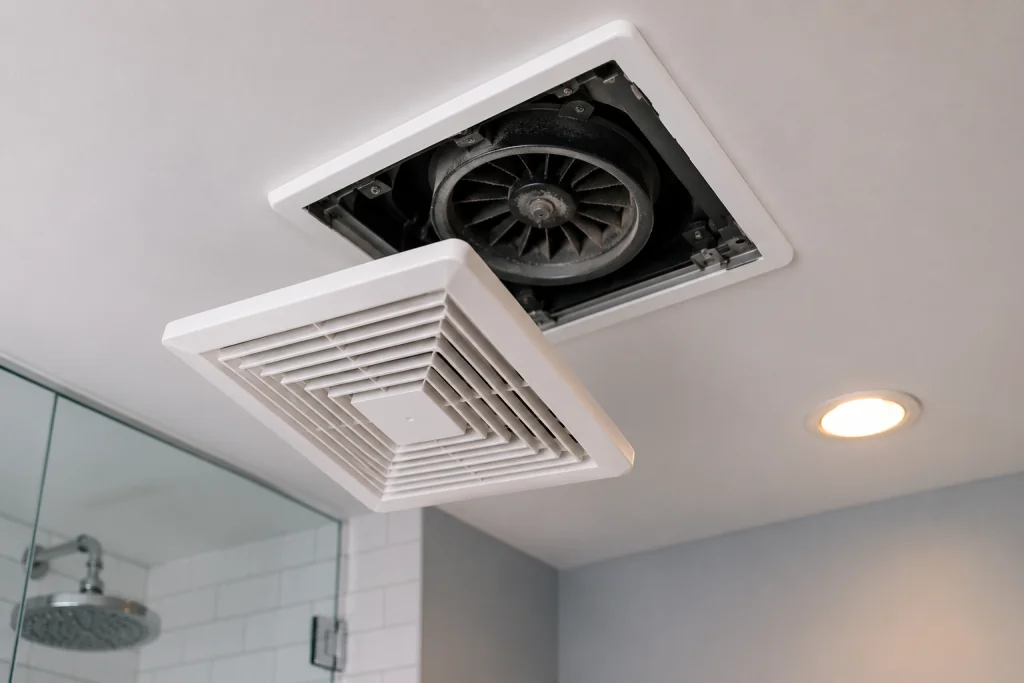
Bathrooms generate a lot of moisture, and when the exhaust fan stops working properly, it can lead to foggy mirrors, peeling paint, mold growth, and lingering odors. The good news is that many bathroom exhaust fan not working problems can be fixed without replacing the entire unit.
This step-by-step guide explains how to troubleshoot a bathroom exhaust fan not working and restore proper ventilation quickly.
Quick Answer
If your bathroom exhaust fan is not working, the most common causes are a tripped breaker, loose wiring, dust buildup, a failed wall switch, or a worn-out fan motor. Start by checking power to the fan, cleaning dust from the housing and blades, and inspecting the switch before replacing the motor assembly.
Identify the Type of Bathroom Fan Problem
Before you start troubleshooting, it helps to identify exactly how the bathroom exhaust fan is failing. Different symptoms often point to different causes, which can save time and help you focus on the most likely solution.
Fan Does Not Turn On
If the fan does not make any noise or show any signs of operation, the problem is often electrical. A tripped circuit breaker, faulty wall switch, loose wiring connection, or failed motor can prevent the fan from starting.
Common causes include:
- Tripped circuit breaker
- Faulty wall switch
- Loose electrical wiring
- Burned-out fan motor
Fan Hums but Does Not Spin
A humming sound usually indicates that the fan is receiving power but the motor or fan blade cannot turn properly. Dust buildup, worn bearings, or a failing motor are common culprits.
If your bathroom fan hums but won’t spin, follow our dedicated troubleshooting guide for this specific problem. Bathroom Fan Humming But Not Spinning: 7 Proven Fixes That Work
Common causes include:
- Dust and debris buildup
- Seized motor bearings
- Bent or obstructed fan blade
- Failing motor
Fan Runs but Removes Little Moisture
If the fan turns on but mirrors stay fogged and the bathroom remains humid, airflow may be restricted. A clogged vent duct, stuck damper, or undersized fan can reduce the amount of air being exhausted from the room.
If the fan runs but your bathroom stays humid, see our guide to fixing a bathroom fan that isn’t removing moisture. Bathroom Fan Not Removing Moisture? 7 Easy Fixes That Actually Work
Common causes include:
- Blocked or disconnected ductwork
- Stuck backdraft damper
- Dirty fan blades
- Undersized exhaust fan
Fan Makes Unusual Noises
Grinding, rattling, squealing, or vibrating sounds often indicate mechanical wear or loose components. Ignoring these noises can lead to complete fan failure over time.
If grinding is the main symptom, see our guide to diagnosing and fixing a bathroom fan making a grinding noise. Bathroom Fan Making Grinding Noise? 7 Causes and Easy Fixes
Common causes include:
- Loose mounting hardware
- Worn motor bearings
- Debris contacting the fan blade
- Damaged fan wheel or housing
Once you identify the symptom that best matches your situation, follow the troubleshooting steps below to find and fix the problem.
Signs Your Bathroom Exhaust Fan Needs Attention
You may notice:
- The fan will not turn on
- The fan hums but does not spin
- Weak airflow or poor ventilation
- Loud rattling or grinding noises
- Excess bathroom moisture after showers
- Burning smells from the fan housing
Ignoring these problems can eventually damage drywall, paint, and ceilings due to excess humidity. If your bathroom exhaust fan not working issue is getting worse over time, fixing it early can help prevent moisture damage and mold growth.
As an Amazon Associate I earn from qualifying purchases.
Tools and Materials You May Need
- Step ladder
- Screwdriver
- Vacuum with brush attachment
- Microfiber cloth
- Voltage tester
- Replacement switch
- Replacement fan motor
- Safety glasses
Step 1: Check the Circuit Breaker
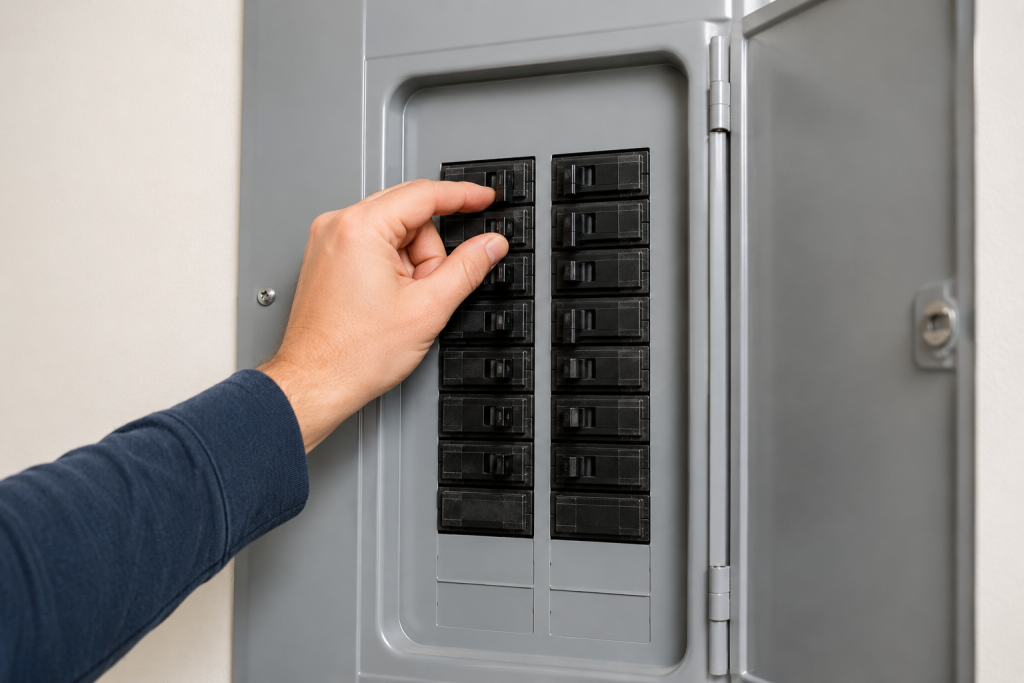
A tripped breaker is one of the simplest reasons a bathroom exhaust fan stops working.
What to Do
- Locate your home’s electrical panel.
- Find the breaker connected to the bathroom.
- Look for a breaker stuck in the middle position.
- Reset the breaker fully OFF and then back ON.
- Test the fan again.
If the breaker trips repeatedly, there may be a wiring issue or failing motor. Check out our guide Breaker Keeps Tripping? 7 Easy Fixes That Actually Work (Step-by-Step Guide).
If multiple bathroom outlets also stopped working, check out our guide on how to fix an outlet.
Step 2: Clean Dust From the Fan Cover and Blades
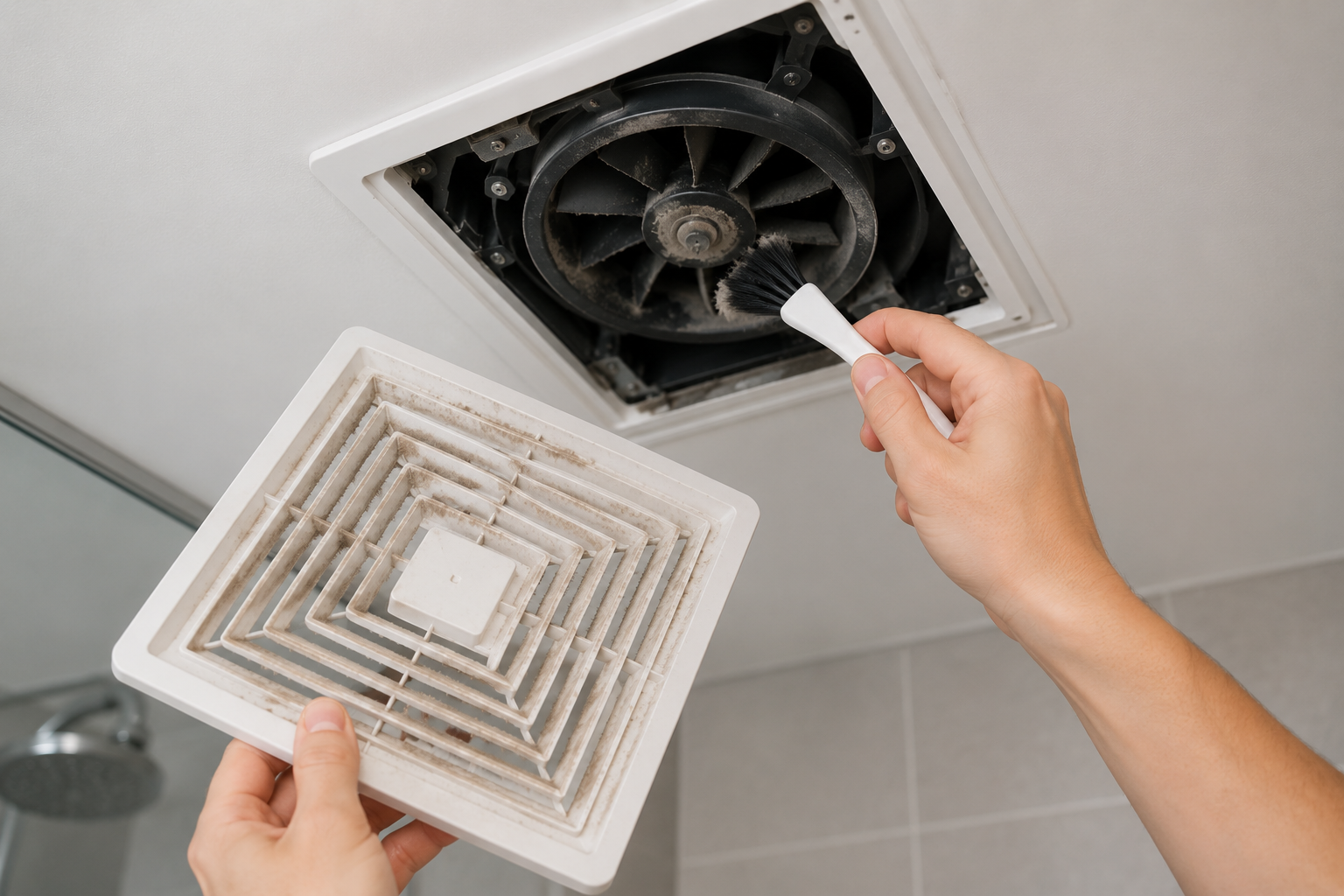
Dust buildup can prevent the fan from spinning properly and reduce airflow.
What to Do
- Turn off power to the bathroom fan.
- Remove the fan cover by pulling it downward.
- Disconnect the spring clips holding the cover.
- Vacuum dust from the fan housing.
- Wipe the blades carefully with a microfiber cloth.
- Reinstall the cover and test the fan.
Many bathroom fans begin working normally again after a thorough cleaning.
Step 3: Test the Wall Switch
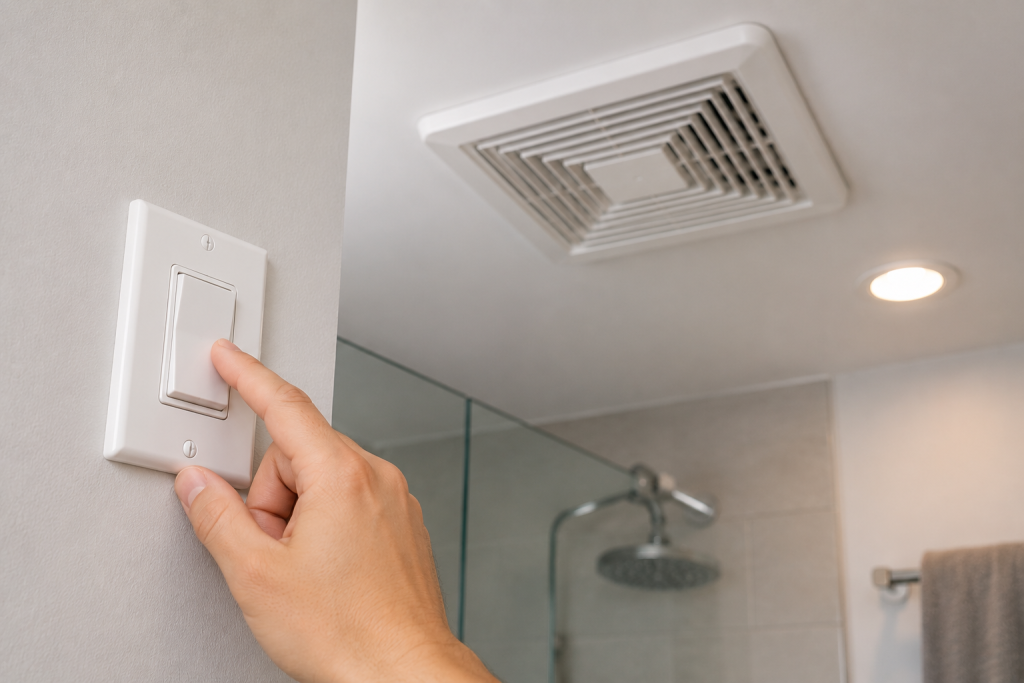
A failed wall switch can stop power from reaching the fan.
What to Do
- Turn off power at the breaker.
- Remove the wall switch cover.
- Inspect for loose or burned wires.
- Use a voltage tester to confirm power is off.
- Replace the switch if it feels loose or unreliable.
Bathroom switches wear out over time due to moisture exposure. If your light switch is not working, check out our guide on Light Switch Not Working? 7 Easy Fixes That Actually Work (Step-by-Step Guide).
Step 4: Inspect the Fan Motor
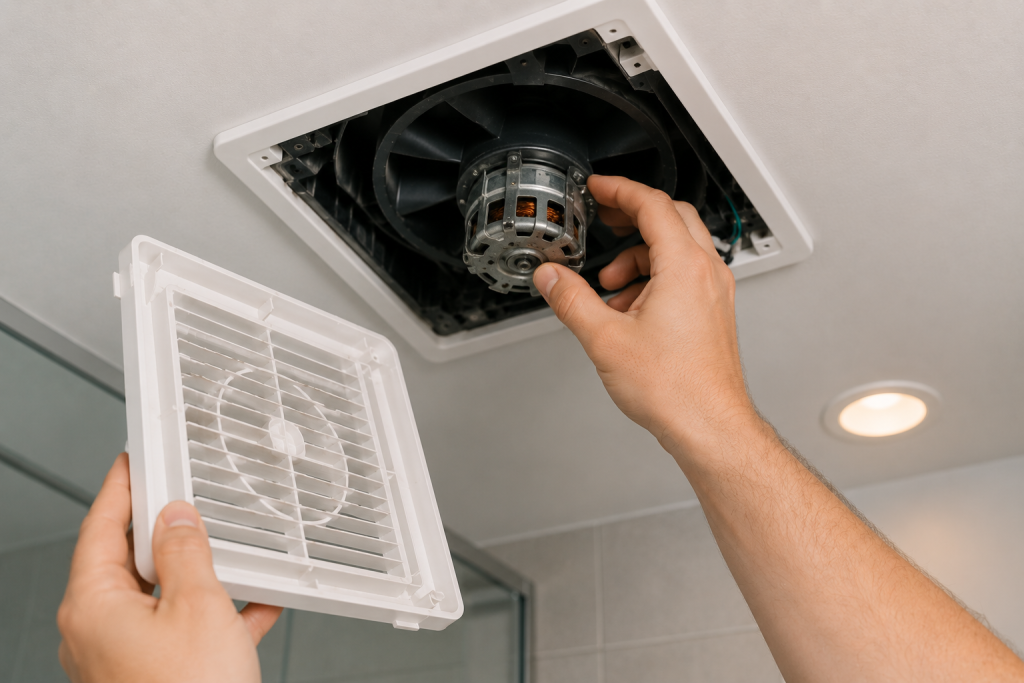
If the fan hums but the blades do not spin, the motor may be failing.
What to Do
- Remove the fan cover.
- Try spinning the blades gently by hand.
- Listen for grinding or resistance.
- Inspect for overheating or burn marks.
- Replace the motor assembly if needed.
Many bathroom fan motors can be swapped without replacing the entire housing.
Test Whether the Fan Is Actually Moving Air
Sometimes a bathroom exhaust fan sounds like it is working even though it is not removing enough air from the room. A simple airflow test can help determine whether the fan is operating properly.
Perform the Toilet Paper Test
One of the easiest ways to check airflow is with a single sheet of toilet paper.
- Turn the bathroom exhaust fan on.
- Hold a sheet of toilet paper against the fan grille.
- Carefully release the paper.
- Observe whether the paper stays attached to the grille.
If the paper remains in place, the fan is creating suction and moving air. If the paper falls away from the grille, airflow may be weak or restricted.
What Weak Airflow Means
A bathroom exhaust fan that fails the toilet paper test may have one of several problems:
- Dust buildup on the fan blades
- A clogged or disconnected exhaust duct
- A stuck backdraft damper
- An undersized fan for the bathroom
- A worn-out motor that can no longer move enough air
When to Investigate Further
If the fan runs normally but does not hold the toilet paper against the grille, inspect the fan housing, ductwork, and exterior vent for blockages. Cleaning the fan and removing airflow restrictions can often restore proper performance without replacing the unit.
Testing airflow takes only a few seconds and can quickly help determine whether the problem is electrical, mechanical, or related to restricted ventilation.
Step 5: Check for Blocked Vent Ducts
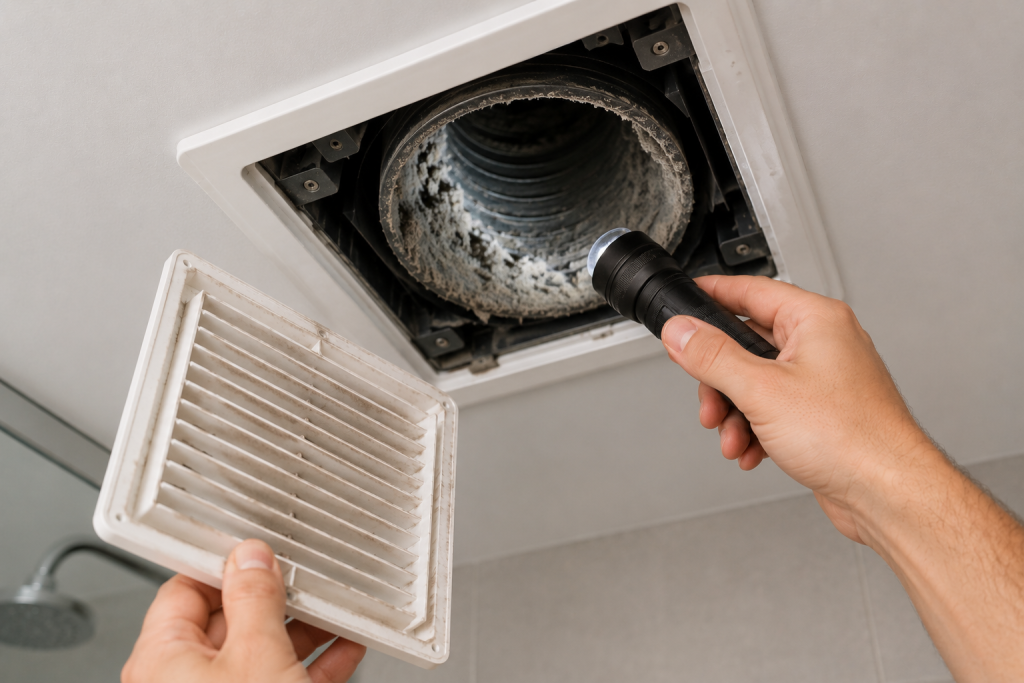
A clogged exhaust duct can reduce airflow dramatically.
What to Do
- Inspect the exterior vent hood outside the home.
- Remove lint, dust, or debris.
- Verify the vent flap opens properly.
- Check flexible ducting in the attic for kinks or collapse.
- Test airflow after clearing the vent.
Blocked ducts can trap moisture and force the fan motor to work harder. Check out our guide on How to Clean a Dryer Vent: 7 Simple Steps to Improve Dryer Performance.
A cleaning brush can help remove lint and debris from long bathroom exhaust ducts.
For additional bathroom ventilation guidance, see the bathroom exhaust fan recommendations from This Old House.
Step 6: Inspect the Backdraft Damper
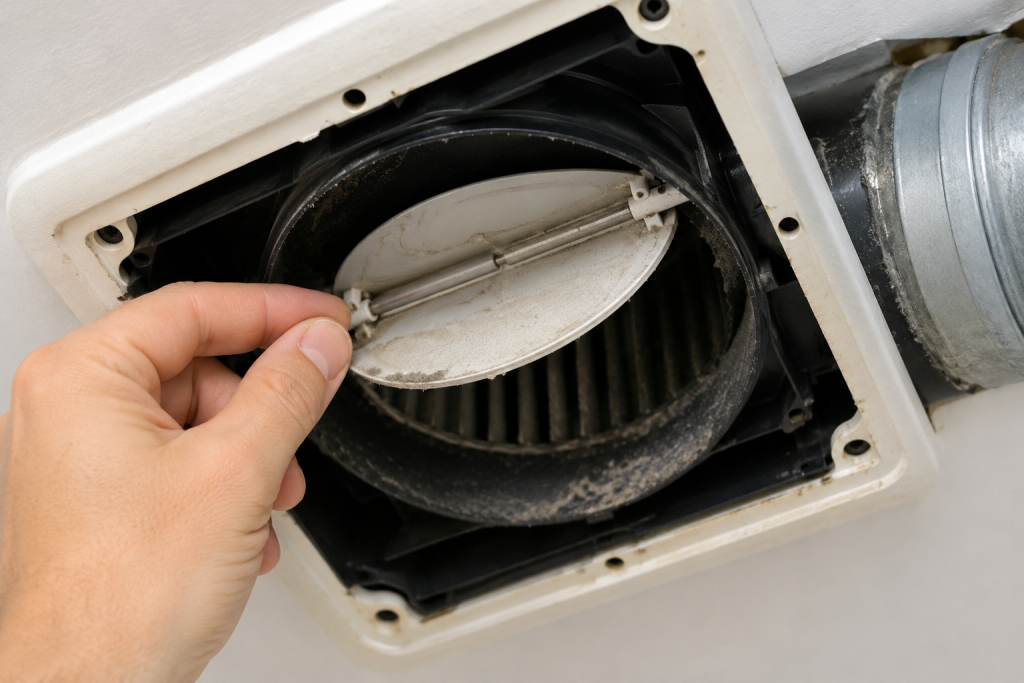
Bathroom exhaust fans typically include a backdraft damper that opens when the fan is running and closes when the fan is turned off. This damper prevents outside air, insects, and debris from entering the home through the vent duct.
If the damper becomes stuck, airflow can be restricted even when the fan motor is operating normally. This can cause excess moisture to remain in the bathroom and may make it seem like the fan is not working properly.
What to Do
- Turn off power to the bathroom exhaust fan.
- Remove the fan cover and look inside the fan housing for a damper flap.
- Verify that the damper can move freely and is not obstructed by dust, insulation, or debris.
- If accessible, inspect the exterior vent hood on the roof or side of the home.
- Make sure the exterior damper opens when the fan is running and closes when the fan is turned off.
- Remove any dirt, lint, insect nests, or other obstructions that may prevent proper movement.
A stuck damper can significantly reduce airflow and cause moisture to linger in the bathroom after showers. Once the obstruction is removed, test the fan again to see if airflow improves.
Step 7: Tighten Loose Wiring Connections
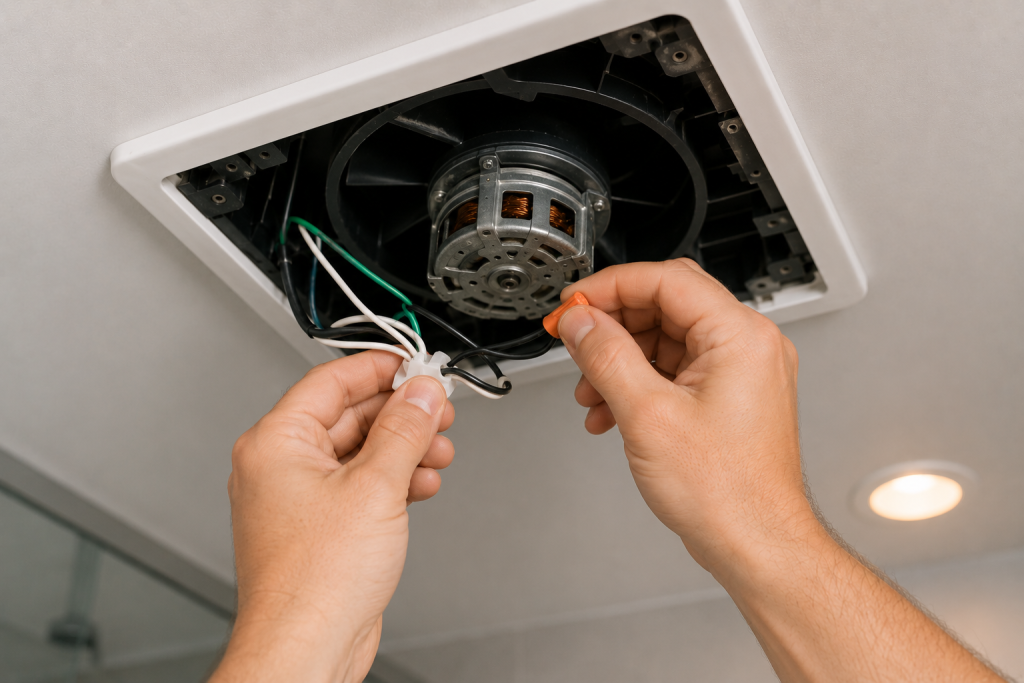
Loose electrical connections may cause intermittent fan operation.
What to Do
- Shut off power at the breaker.
- Remove the fan housing cover.
- Inspect wire nuts and connections.
- Tighten loose wiring carefully.
- Look for burned or damaged wires.
If you are uncomfortable working with electrical wiring, contact a licensed electrician.
If you notice burning smells or warm switches, read our guide Outlet Warm to Touch.
Step 8: Replace the Bathroom Exhaust Fan
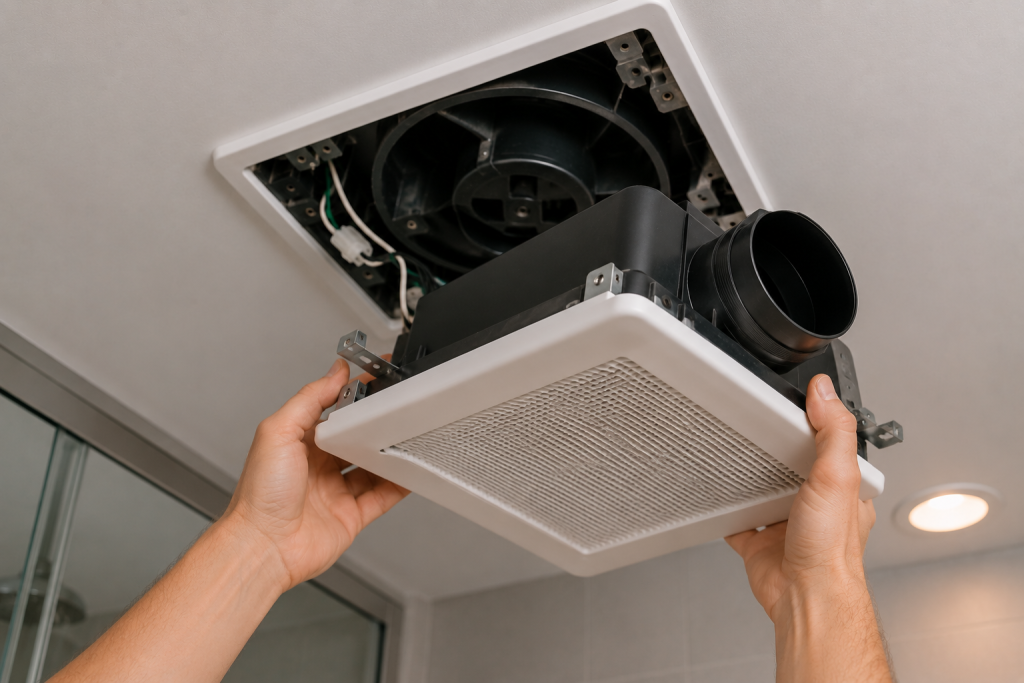
If the fan still does not work after troubleshooting, replacement may be the best option.
Signs Replacement Makes Sense
- Motor repeatedly overheats
- Loud grinding noises continue
- The fan is over 15 years old
- Severe corrosion or damage is visible
- Airflow remains weak after cleaning
Modern bathroom fans are quieter, more energy-efficient, and often move more air than older models.
If the motor is failing, replacing the fan with a quieter modern model is often the easiest long-term fix.
When to Call a Professional
Contact an electrician or HVAC professional if:
- The breaker trips repeatedly
- You smell burning insulation
- Wiring appears damaged
- The fan sparks when turned on
- Moisture damage is spreading rapidly
Professional diagnosis can prevent larger electrical or mold problems later.
Make Sure the Fan Is Properly Sized
Sometimes a bathroom exhaust fan appears to be working correctly but still fails to remove moisture, odors, and humidity from the room. In many cases, the problem is not a faulty fan but a fan that is too small for the size of the bathroom.
Bathroom exhaust fans are rated by airflow capacity, which is measured in cubic feet per minute (CFM). A fan with a low CFM rating may struggle to remove enough air, especially in larger bathrooms or bathrooms with high ceilings.
General Bathroom Fan Sizing Guidelines
Use these general recommendations when evaluating whether your fan is large enough for the space:
| Bathroom Size | Recommended Fan Capacity |
|---|---|
| Up to 50 square feet | 50 CFM |
| 50 to 100 square feet | 1 CFM per square foot |
| Larger bathrooms | 100+ CFM or multiple fans |
For example, an 80-square-foot bathroom typically requires a fan rated for at least 80 CFM.
Signs Your Fan May Be Undersized
A fan that is too small for the room may cause:
- Mirrors that stay fogged long after a shower
- Excess moisture on walls and ceilings
- Persistent musty odors
- Mold or mildew growth
- Poor results even when the fan runs normally
If you’re dealing with a moisture problem with your hot water heater, check out our guide Water Heater Leaking From Bottom? 7 Fixes to Stop the Leak.
How to Check Your Fan’s Rating
Most bathroom exhaust fans have a label inside the fan housing that lists the CFM rating. Compare this number to the size of your bathroom to determine whether the fan is appropriately sized.
If the fan is undersized, upgrading to a higher-capacity model can significantly improve moisture removal and help prevent future ventilation problems.
Bathroom Exhaust Fan Maintenance Tips
Regular maintenance can help extend the life of your bathroom exhaust fan and prevent many of the common problems covered in this guide.
Clean the Fan Every Six Months
Dust and lint naturally accumulate on the fan cover, blades, and motor housing. Over time, this buildup can reduce airflow, increase noise, and place additional strain on the motor. Remove the cover and vacuum dust from the fan assembly at least twice per year.
Check Airflow Periodically
A bathroom exhaust fan can appear to be working even when airflow is restricted. Perform the toilet paper test occasionally by holding a sheet of toilet paper against the grille while the fan is running. If the paper does not stay in place, inspect the fan and vent system for blockages.
Inspect the Exterior Vent
At least once a year, inspect the exterior vent hood on the roof or side of your home. Remove leaves, dirt, insect nests, and other debris that could restrict airflow. Verify that the backdraft damper opens and closes properly.
Run the Fan Long Enough After Showers
Many homeowners turn the fan off too soon. Continue running the bathroom exhaust fan for 20 to 30 minutes after showering to remove excess humidity and reduce the risk of mold and mildew growth.
Listen for Changes in Performance
New rattling, grinding, squealing, or humming noises can indicate developing problems with the motor, bearings, or fan blade assembly. Addressing these issues early may prevent a complete fan failure and avoid a more expensive repair.
A few minutes of maintenance each year can improve ventilation, reduce moisture problems, and help your bathroom exhaust fan operate efficiently for many years.
For more maintenance tips on your entire home, check out the following: Easy Spring Home Maintenance Checklist: 25 Essential Tasks Every Homeowner Should Complete and Winter Home Maintenance Checklist: 25 Proven Tasks to Prevent Costly Damage.
Frequently Asked Questions
Why is my bathroom exhaust fan humming but not spinning?
This usually indicates a failing motor or excessive dust buildup preventing the blades from turning.
Can a bathroom fan stop working because of dust?
Yes. Heavy dust accumulation can block airflow, overheat the motor, and eventually stop the fan from operating.
Why does my bathroom fan run but not remove moisture?
A bathroom exhaust fan may run without removing moisture if the vent duct is clogged, the fan blades are dirty, or the fan is too small for the bathroom size. Poor airflow can also happen if the duct is too long, crushed, or venting into the attic instead of outside. Cleaning the fan and checking the vent path often restores proper ventilation. If moisture problems continue, the fan motor may be weak or the fan may need to be upgraded to a higher CFM model.
How long do bathroom exhaust fans last?
Most bathroom exhaust fans last between 10 and 15 years depending on usage and maintenance.
Is it dangerous if my bathroom fan smells like burning?
Yes. Turn off power immediately and inspect the fan. Burning smells may indicate overheating wiring or motor failure.
Why is water dripping from my bathroom exhaust fan?
Water dripping from a bathroom exhaust fan is often caused by condensation inside the vent duct. This can occur when warm, moist air from the bathroom meets a cold section of ductwork in an attic or crawl space. Improperly insulated ducts, poor ventilation, or a blocked exhaust vent can all contribute to condensation problems.
For step-by-step troubleshooting, see our guide to fixing a bathroom fan leaking water. Bathroom Fan Leaking Water? 6 Causes and Easy Fixes
Can I replace just the motor instead of the entire fan?
In many cases, yes. Some bathroom exhaust fans allow the motor assembly to be replaced without removing the entire housing. Replacing only the motor can be less expensive and less labor-intensive than installing a new fan. However, if the housing is damaged, the fan is outdated, or replacement parts are unavailable, installing a new unit may be the better option.
How do I know if my bathroom fan is properly sized?
Bathroom exhaust fans are rated by airflow capacity measured in cubic feet per minute (CFM). A fan that is too small for the bathroom may run continuously yet still leave mirrors foggy and moisture trapped in the room. Check the fan’s CFM rating and compare it to the size of the bathroom. Larger bathrooms typically require higher-capacity fans to provide effective ventilation.
Looking for help with another heating or cooling problem? Browse our complete collection of HVAC repair and troubleshooting guides.
Final Thoughts
A bathroom exhaust fan not working can quickly lead to humidity and moisture problems inside your home. Fortunately, many bathroom exhaust fan not working issues are caused by simple problems like dust buildup, failed switches, clogged vents, or worn motors.
By following these step-by-step fixes, you can often restore proper airflow and prevent future bathroom moisture damage before it becomes expensive to repair.