
Last updated: September 20, 2026
By Home Repair Genie
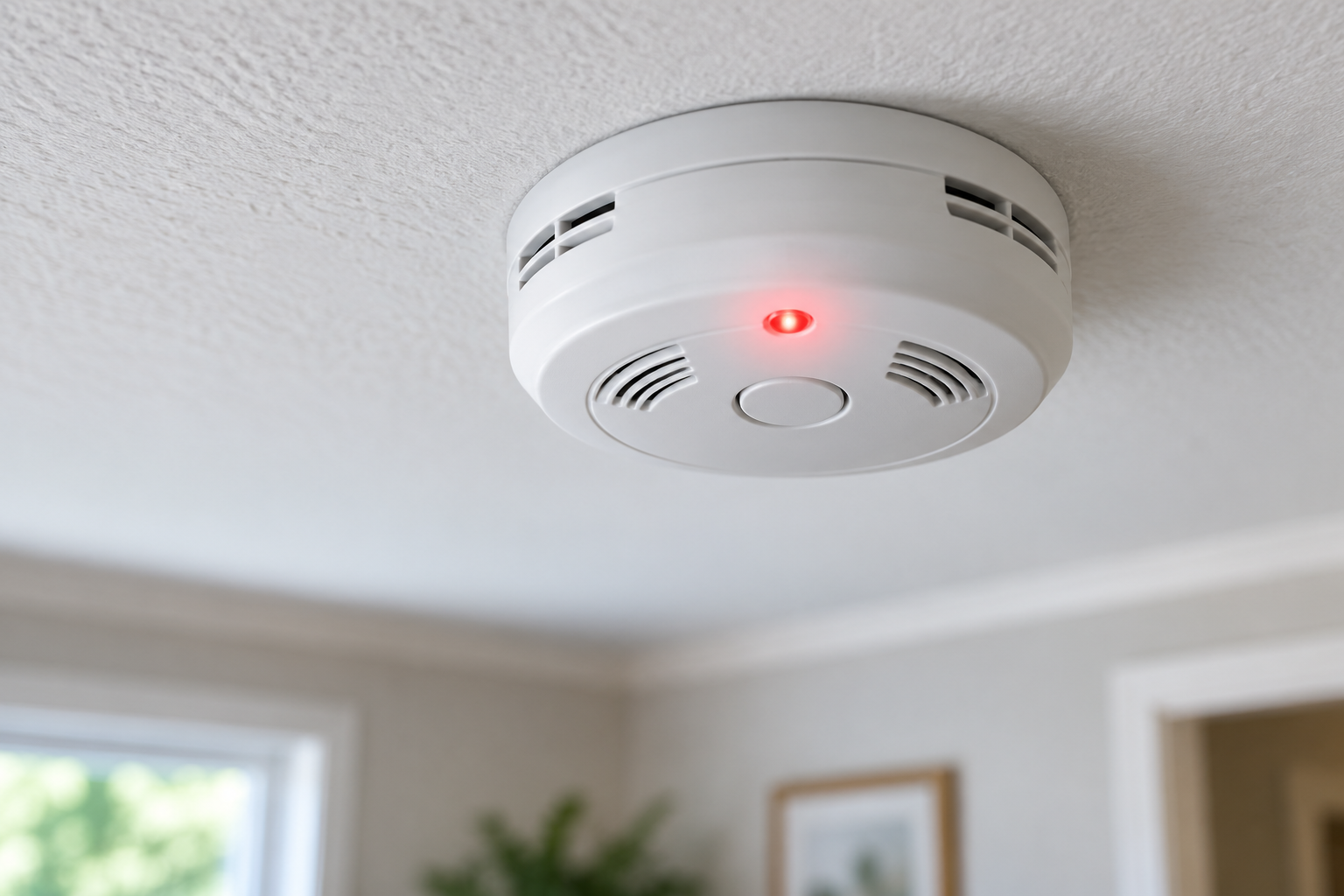
If your smoke detector is blinking red, it does not necessarily mean something is wrong. On many smoke alarms, a flashing red light is simply a normal status indicator showing that the unit is receiving power and operating correctly.
However, a blinking red light can also indicate that the alarm recently detected smoke, has a low battery, needs to be reset, or has reached the end of its useful life.
Because indicator lights vary between smoke detector brands and models, understanding the blinking pattern can help you determine whether you have a normal operating light or a problem that needs attention.
This guide explains the most common reasons a smoke detector blinks red and the troubleshooting steps you can take to fix it.
Quick Answer
A smoke detector blinking red is often completely normal. Depending on the model, the red light may flash every 30 to 60 seconds to indicate that the alarm is powered and working.
However, a rapidly blinking red light or a red light accompanied by chirping or an alarm can indicate a low battery, recent smoke detection, a malfunction, or an alarm that needs to be replaced.
Start by checking the smoke detector for smoke or fire, then look at the blinking pattern and consult the manufacturer’s instructions for your specific model. If the alarm is chirping or behaving unexpectedly, check the battery, clean the detector, reset it, and verify its age.
What Does a Blinking Red Light on a Smoke Detector Mean?
The exact meaning of a blinking red light depends on the manufacturer and model.
Some smoke detectors use a red LED as their normal operating indicator. The light may blink periodically to show that the alarm has power and is actively monitoring the room.
Other alarms use the red light to communicate a specific condition.
Common possibilities include:
- Normal operation
- Recent smoke detection
- An alarm memory indicator
- Low battery
- Dust or contamination inside the alarm
- A malfunction
- End-of-life warning
- An interconnected alarm indicating which detector triggered an event
The frequency of the blinking is particularly important.
A red light that flashes once every 30 to 60 seconds may simply be a normal status indicator, while continuous or rapid flashing may have an entirely different meaning.
Always check the manufacturer’s instructions for your particular smoke alarm before assuming a blinking light indicates a problem.
Why Is My Smoke Detector Blinking Red?
There are several common reasons you may notice a red light flashing on your smoke detector.
1. The Smoke Detector Is Operating Normally
Before attempting repairs, determine whether the red blinking light is actually a normal feature.
Many smoke detectors have an LED that flashes periodically while the alarm is operating.
If the smoke detector:
- Is not chirping
- Is not sounding an alarm
- Passes its test
- Has a good battery
- Is less than 10 years old
the blinking light may simply indicate normal operation.
Check the label on the detector for the model number and look up the manufacturer’s instructions to confirm what the light pattern means.
2. The Smoke Detector Recently Detected Smoke
Some smoke alarms have an alarm-memory feature that indicates when a particular detector recently detected smoke.
This can be especially useful in a home with interconnected smoke detectors.
For example, several alarms may sound simultaneously even though only one detector originally sensed smoke.
The blinking red light may help identify the detector that triggered the alarm.
If your alarms have recently sounded unexpectedly, read our guide on why a smoke detector keeps going off for no reason for additional troubleshooting steps.
3. The Battery Is Getting Low
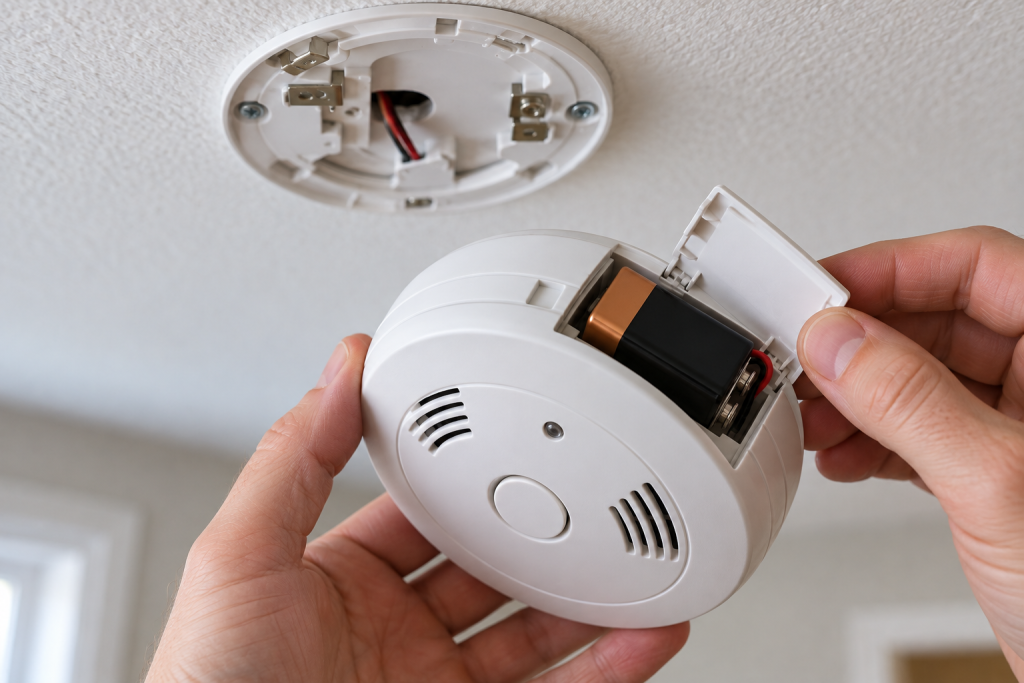
A weak battery can sometimes cause indicator lights or warning signals to change.
Low-battery warnings are more commonly associated with periodic chirping, but the exact warning system depends on the smoke detector.
If your detector uses a replaceable battery and you are unsure of its condition, installing a fresh manufacturer-approved battery is a simple troubleshooting step.
After replacing the battery, reset and test the smoke detector.
If the alarm continues to blink or chirp, the battery probably wasn’t the only issue.
4. The Smoke Detector Needs to Be Reset
Smoke detectors can sometimes retain an alarm or warning condition even after the original cause is gone.
Resetting the detector may clear the warning.
This can happen after:
- Replacing the battery
- A power outage
- An actual smoke event
- Cooking smoke
- Steam or high humidity
- Removing dust from the detector
The reset procedure varies by model, so follow the manufacturer’s instructions whenever possible.
5. Dust or Debris Is Inside the Smoke Detector
Dust, insects, pet hair, and other debris can accumulate around the openings of a smoke detector.
Smoke alarms need openings that allow air to reach their sensors. Contamination around those openings can interfere with normal operation and may contribute to nuisance alarms or unusual behavior.
Gently vacuum around the exterior openings using a soft brush attachment.
Do not take apart the sensing chamber unless the manufacturer specifically instructs you to do so.
If your detector frequently sounds even when there is no fire, contamination may also be contributing to the problem.
6. Steam or Cooking Smoke Triggered the Detector
A smoke detector near a kitchen or bathroom may occasionally respond to cooking particles or steam.
After the event ends, some alarms continue blinking to indicate that they were recently activated.
If this happens frequently, investigate the source rather than simply disabling the detector.
Improving ventilation may help. If moisture and steam are lingering in your bathroom, our guide on fixing a bathroom exhaust fan that isn’t working explains how to troubleshoot common ventilation problems.
Never remove the battery or disconnect a smoke alarm simply because nuisance alarms are occurring.
7. The Smoke Detector Has Reached the End of Its Life
Smoke detectors do not last indefinitely.
The National Fire Protection Association recommends replacing smoke alarms when they are 10 years old, or sooner if they do not respond properly during testing.
Check the manufacturing date printed on the back or side of the detector.
If the alarm is approaching or past 10 years old, replacing the entire detector is usually preferable to repeatedly troubleshooting it.
Check out our helpful guide on the 7 Best Smoke Detectors for Reliable Home Protection
You can review additional smoke-alarm maintenance guidance from the National Fire Protection Association.
8. The Smoke Detector Has a Fault
If the detector is relatively new, has a fresh battery, is clean, and still displays an unusual blinking pattern, the alarm itself could be malfunctioning.
Do not ignore unexplained warning indicators from a smoke detector.
Consult the owner’s manual to determine what the specific LED pattern means. If the pattern indicates a fault, replace the detector according to the manufacturer’s instructions.
How to Fix a Smoke Detector Blinking Red
If you’ve determined that the blinking light isn’t simply the detector’s normal operating indicator, work through these troubleshooting steps.
Step 1: Check for Smoke or Fire
Always treat an unexpected smoke-alarm warning seriously until you determine the cause.
Look and smell for signs of:
- Smoke
- Fire
- Electrical burning
- Overheated appliances
- Smoldering materials
Never assume the detector is malfunctioning simply because you cannot immediately see smoke.
If you suspect an actual fire, leave the home and contact emergency services from a safe location.
Step 2: Identify the Blinking Pattern
Watch the detector for several minutes and determine exactly what it is doing.
Pay attention to:
- How frequently the red light flashes
- Whether the detector chirps
- Whether the light flashes continuously
- Whether other interconnected detectors are blinking
- Whether the alarm recently sounded
These details can help you identify the warning when checking the owner’s manual.
Step 3: Find the Model Number
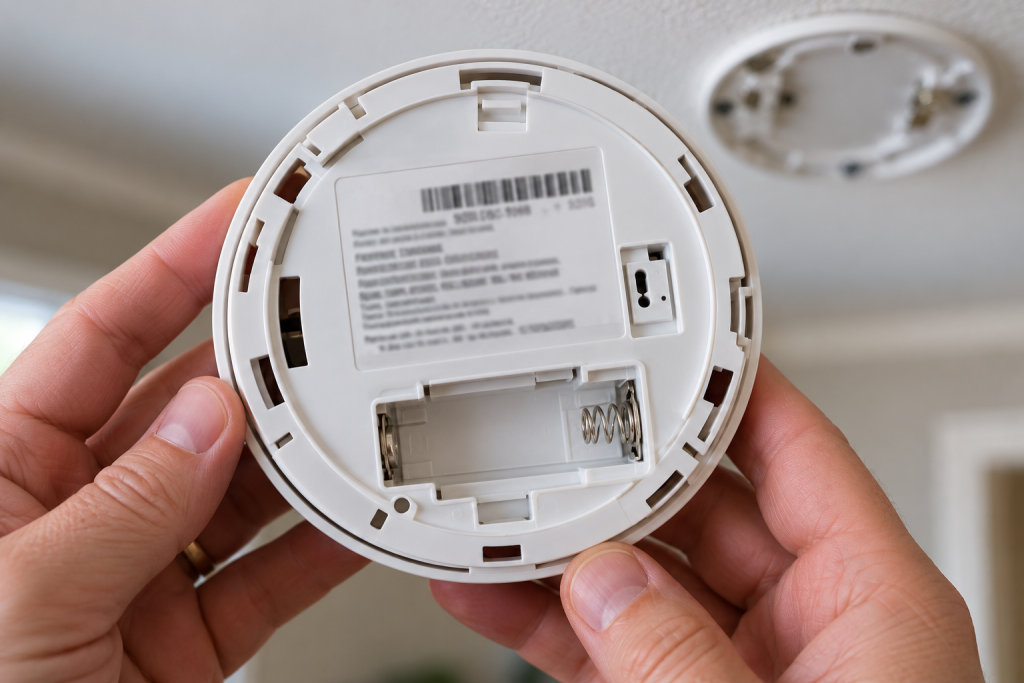
Look for the manufacturer and model number printed on the smoke detector.
You may need to rotate the detector off its mounting plate to see the label.
If it is hardwired, avoid disconnecting wiring unless necessary.
Search for the manufacturer’s manual and compare your LED pattern with the indicator-light descriptions.
This is one of the most important steps because a blinking red light does not mean the same thing on every smoke detector.
Step 4: Replace the Battery if Necessary
If your smoke detector uses a replaceable battery, install a fresh battery of the type specified by the manufacturer.
Make sure the battery is seated correctly and the battery compartment closes completely.
For hardwired smoke detectors with backup batteries, remember that the backup battery can still become weak even though the detector receives household power.
Step 5: Clean the Smoke Detector
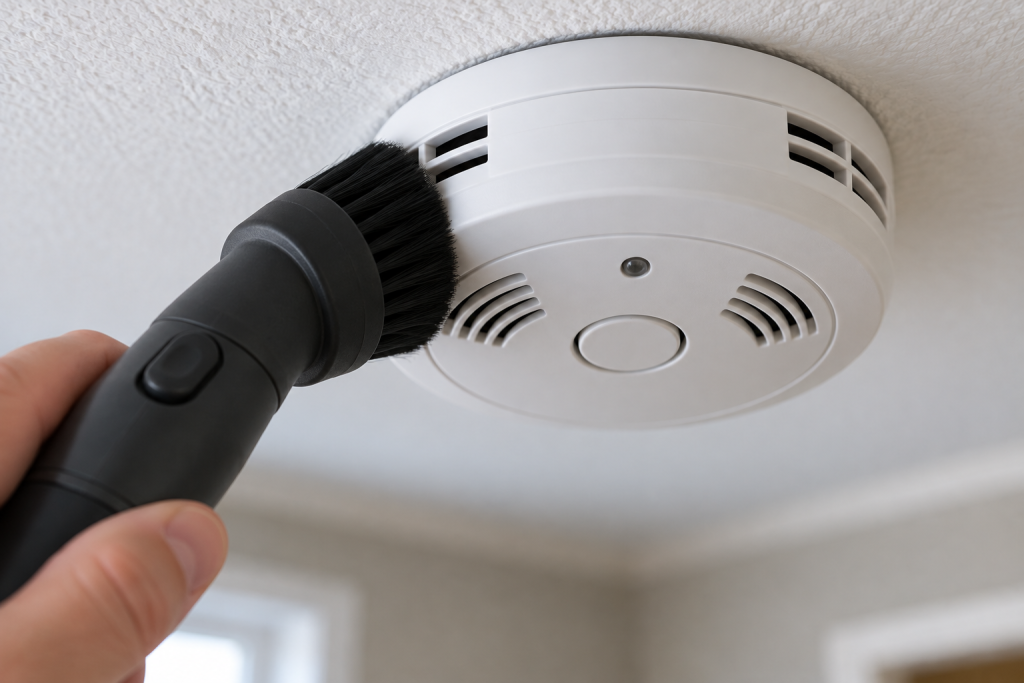
Turn off power if required by the manufacturer’s cleaning instructions.
Use a vacuum with a soft brush attachment to gently remove dust and debris around the detector’s openings.
Avoid spraying household cleaners, compressed chemicals, paint, or other substances into the detector.
Once the detector is clean, restore power and test it.
Step 6: Reset the Smoke Detector
Follow the reset procedure provided by the manufacturer.
For many models, resetting involves pressing and holding the test/reset button for a specified amount of time, although procedures vary.
After resetting the detector, wait several minutes and see whether the unusual blinking pattern returns.
Step 7: Test the Smoke Detector
Press the test button according to the manufacturer’s instructions.
The alarm should produce its normal test signal.
If the detector doesn’t respond correctly, replacing it is generally safer than continuing to rely on an alarm that may not function properly.
Smoke alarms should also be tested regularly. NFPA guidance recommends testing smoke alarms at least once a month.
Step 8: Check the Age of the Detector
Remove or rotate the detector enough to locate its manufacturing date.
If it is around 10 years old or older, replace it.
Do not assume that a detector is safe simply because its light still flashes or its test button still produces a sound.
Smoke Detector Blinking Red but No Sound
A smoke detector blinking red without chirping or sounding an alarm is frequently displaying a normal status indicator.
If the detector:
- Has power
- Has a good battery
- Passes its test
- Is within its recommended service life
- Has no other warning indicators
there may be nothing you need to fix.
Confirm the flashing pattern in the manufacturer’s manual.
Smoke Detector Blinking Red and Chirping
A smoke detector that is blinking red and chirping deserves more attention.
Possible causes include:
- Low battery
- Improperly installed battery
- End-of-life warning
- Detector fault
- Residual warning after an alarm event
Start by identifying the chirping pattern.
A single chirp at regular intervals may have a different meaning from several chirps grouped together.
Don’t rely solely on generic descriptions of smoke detector beep patterns because manufacturers can use different signals.
Check the instructions for your specific detector.
Smoke Detector Blinking Red After Changing the Battery
If your smoke detector continues blinking red after installing a new battery, the light may be normal or the detector may need to be reset.
First, make sure:
- You installed the correct battery
- The battery terminals are making good contact
- The battery compartment is completely closed
- The detector is securely attached to its mounting plate
Next, reset the detector according to the manufacturer’s instructions.
If the red light continues but there are no warning chirps and the detector passes its test, check the manual to determine whether the blinking light indicates normal operation.
Hardwired Smoke Detector Blinking Red
Hardwired smoke detectors can blink red just like battery-powered alarms.
Remember that most hardwired detectors also contain backup batteries.
That means a hardwired smoke detector can receive AC power while still developing a problem with its backup battery.
If you suspect a larger electrical problem, check whether other devices on the circuit are working.
A tripped breaker or electrical fault can sometimes affect multiple devices. Our guide on why a GFCI outlet keeps tripping covers another common household electrical problem and explains when a recurring electrical fault requires professional attention.
If you need to remove, replace, or troubleshoot wiring inside a hardwired smoke detector, turn off the appropriate circuit breaker first. Contact a licensed electrician if you are not comfortable working with household electrical wiring.
Should a Smoke Detector Blink Red Every 30 Seconds?
Possibly.
Some smoke detectors periodically flash an LED during normal operation. Depending on the model, a blink every 30, 45, or 60 seconds may simply show that the alarm has power and is monitoring normally.
However, there is no universal blinking pattern for every smoke detector.
Always verify the pattern against the instructions for your specific model.
When Should You Replace a Blinking Smoke Detector?
Consider replacing the smoke detector if:
- It is approximately 10 years old or older
- It fails the test-button test
- The manufacturer identifies the blinking pattern as an end-of-life warning
- It repeatedly produces unexplained alarms after cleaning
- It continues displaying a fault after replacing the battery and resetting it
- The detector is physically damaged
- You cannot reliably determine whether it is functioning properly
Smoke detectors are critical safety devices, so replacement is generally a better choice than trying to extend the life of a detector that is no longer operating reliably.
How to Prevent Smoke Detector Problems
Regular maintenance can reduce nuisance alarms and help make sure your smoke detectors are ready when you actually need them.
Test your smoke alarms monthly according to the manufacturer’s instructions.
Keep the detector openings free of dust and debris, replace batteries when required, and pay attention to chirping or unusual indicator lights.
You should also periodically check the manufacturing date of every detector in your home.
If you have multiple alarms of the same age, you may find that several reach their replacement date around the same time.
Frequently Asked Questions
Why is my smoke detector blinking red every 30 seconds?
On some models, a red light blinking every 30 seconds is a normal operating indicator. However, indicator patterns vary by manufacturer. Check your smoke detector’s manual using the model number printed on the unit.
Why is my smoke detector blinking red but not making any noise?
A blinking red light without an alarm or chirping may simply indicate that the detector has power and is operating normally. It could also indicate alarm memory on certain models. Check the manufacturer’s instructions to confirm.
Why is my smoke detector blinking red after it went off?
Some smoke detectors use a blinking LED as an alarm-memory indicator. This can help identify which detector originally sensed smoke in an interconnected system. Resetting the detector according to the manufacturer’s instructions may clear the indicator.
Why is my smoke detector blinking red after I changed the battery?
The detector may need to be reset after the battery is replaced. The blinking light could also be its normal operating indicator. Make sure the battery is properly installed, reset the alarm, test it, and check the owner’s manual.
Does a blinking red light mean my smoke detector battery is low?
Not necessarily. Low batteries are commonly indicated by chirping, but warning patterns vary among manufacturers and models. Check the instructions for your particular alarm.
How do I stop my smoke detector from blinking red?
First determine what the blinking light means. If it indicates normal operation, you should not try to stop it. If it indicates a warning or fault, replace the battery, clean and reset the detector, or replace the alarm as appropriate.
How long do smoke detectors last?
Smoke alarms generally should be replaced when they are 10 years old, or sooner if they fail to respond properly during testing. Check the manufacturing date printed on your detector rather than relying only on when you remember installing it.
Should I replace a smoke detector that keeps blinking red?
Not automatically. If the blinking is the normal status indicator, replacement isn’t necessary. Replace the detector if it has reached the end of its service life, fails testing, is damaged, or displays a fault that cannot be corrected.
Looking for help with another electrical problem? Browse our complete collection of electrical repair and troubleshooting guides.
Final Thoughts
A smoke detector blinking red is often normal, especially when the light flashes at regular intervals and the detector isn’t chirping or sounding an alarm.
However, don’t assume every blinking red light means the same thing. Smoke detector manufacturers use different LED patterns to indicate normal operation, alarm memory, low batteries, faults, and end-of-life conditions.
Start by ruling out smoke or fire. Then identify the blinking pattern, check the manufacturer’s instructions, inspect the battery, clean the detector, reset it, and test it.
If the smoke detector is around 10 years old, fails its test, or continues displaying a fault, replace it.
And if your detector is actually sounding when there is no apparent fire, see our complete guide to why your smoke detector is going off for no reason for the most common causes and fixes.